Customer tracking in Excel is where most small businesses start, and for good reason: Excel is already on your computer, everyone sort of knows it, and a table is five minutes away. This guide gives you two things: a free customer tracking template you can use today, and an honest map of how far that spreadsheet will carry you.
Let's be clear up front: we are not anti-Excel. A well-built sheet is genuinely enough for a one-person business for months. The problem is never the sheet itself; it is that the sheet cannot grow with the business. We will cover both, in order.
Free customer tracking template (Excel)
Instead of building from scratch, start with a sheet whose fields are named properly and whose status list is ready. It ships with 3 sample rows, a status dropdown, conditional colors and a "How to use" tab. No signup, no email; click and it downloads:
Which columns does a good customer sheet need?
The template's columns, and why each one is there:
| Column | Why it matters |
|---|---|
| Company / Contact / Phone / Email | Identity. Always record the person: "I called the company" and "I spoke to John" are not the same thing. |
| Status | Lead, Meeting, Proposal, Won, Lost. A dropdown, not free text; otherwise filtering dies. |
| Last Contact | Shows when you last spoke. Any row past 30 days has gone cold. |
| Next Step + its date | The heart of the sheet. If these two cells are empty, that customer is effectively forgotten. |
| Est. Amount | Tells you which deal to chase first, and lets you total expected revenue at month end. |
| Notes | Price sensitivity, competitor offers, special requests: the prep for your next call. |
5 golden rules that keep the sheet alive
- One customer, one row. Never add the same company twice; update the existing row. Duplicate rows mean duplicate calls.
- Never type into the Status column. Pick one of the five dropdown values. Free-text entries like "will call??", "pending!!" cannot be filtered.
- Never leave the next step empty. The moment a meeting ends, write the next step and its date. A record with no next step is a lost deal.
- One date format only. Use YYYY-MM-DD; when "12.03", "March 12" and "last Tuesday" mix, sorting collapses.
- Hold a weekly filter day. Monday morning, filter Status = Proposal and call everyone who is waiting. A sheet only works if someone looks at it.
Where Excel genuinely shines
Honestly: in these scenarios we would defend Excel.
- One-person business: if you are the only one in the sheet, there is nothing to conflict with.
- Low volume: a handful of new conversations a month fits comfortably.
- Zero budget on day one: you get order without paying for a single tool.
- One-off lists: a trade-fair visitor list is still fastest in a spreadsheet.
The 5 signs Excel is breaking
If two of these are happening at the same time, your sheet has reached its limit:
- A second user arrived. Two people open the file, "read-only" warnings appear, rows get overwritten, and files start flying around on WhatsApp.
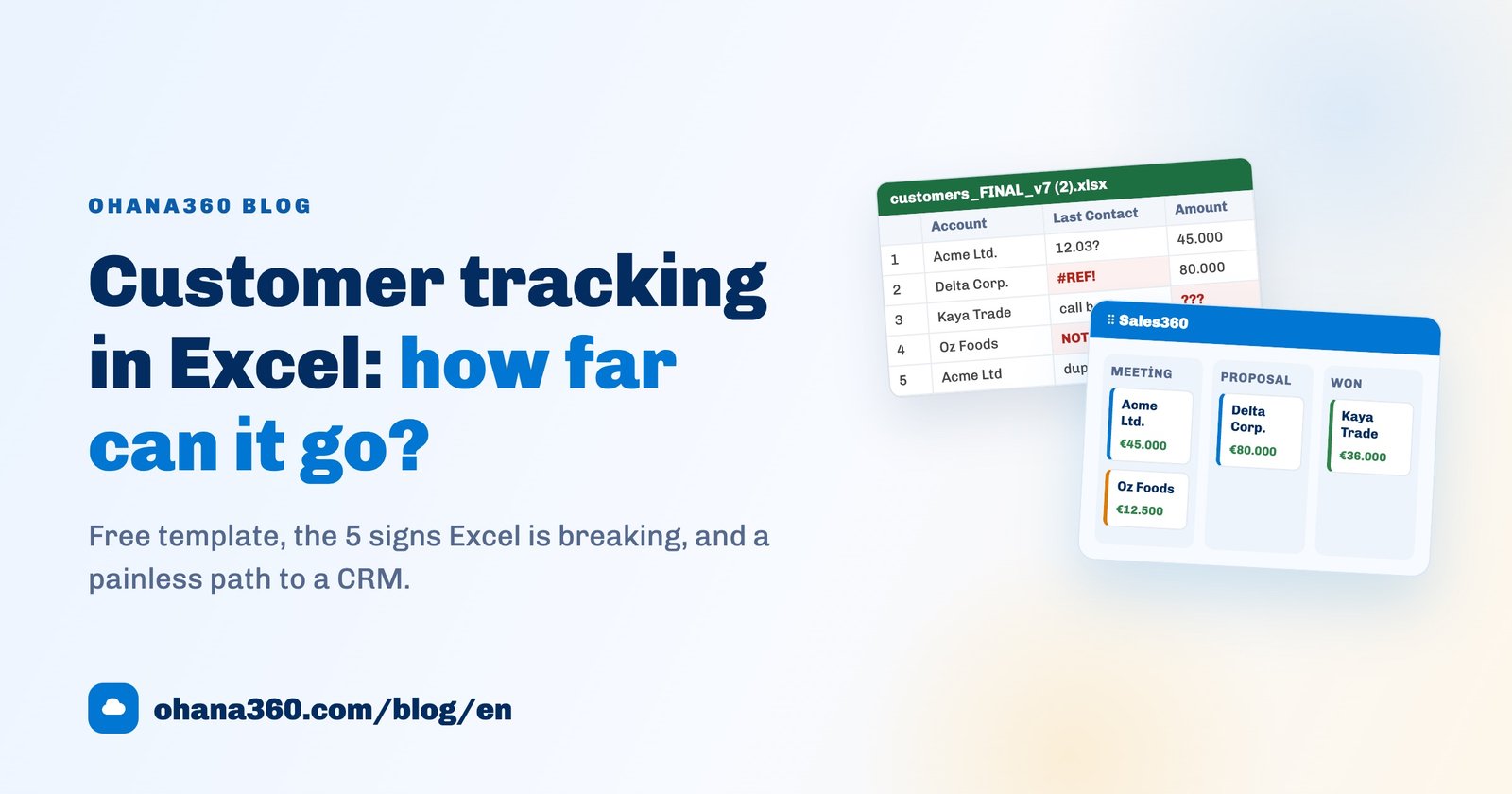
- Version chaos. If customers_FINAL_v7 (2).xlsx is sitting on someone's desktop, nobody knows which file is current anymore.
- No history. "Who changed this price, and when?" has no answer in Excel. A cell does not remember its old value.
- No reminders. The sheet will not call you. You only notice an overdue follow-up if you happen to open the file; that is the most expensive failure, because a forgotten customer goes to a competitor.
- Report day pain. Month end means pivot tables, manual totals and copy-paste slides for management: hours, every month.
Excel vs CRM, side by side
| Excel sheet | CRM (Ohana360) | |
|---|---|---|
| Starting cost | Zero | 150 EUR per app / month (fixed list price) |
| Working simultaneously | Conflicts, locked files | The whole team on the same record at once |
| Change history | None | Who changed what, and when, on every field |
| Reminders | Your memory | Tasks + notifications, on your phone too |
| Sales board | Hand-colored cells | Drag-and-drop kanban with stage totals |
| Reporting | Manual pivots monthly | Build a report once, it updates itself |
| Mobile access | A spreadsheet on a small screen | iOS and Android apps |
| Data ownership | Whoever holds the file | One-click full export (ZIP), the data is yours |
From sheet to CRM: a 15-minute job
The move is easier than most businesses expect, because your data is already structured: rows and columns. Three steps:
- Save your sheet as CSV (the template's column names were chosen to be import-friendly).
- Load the file into Sales360's import wizard and map columns to fields.
- See your deals on the kanban board; next steps become tasks and notifications.
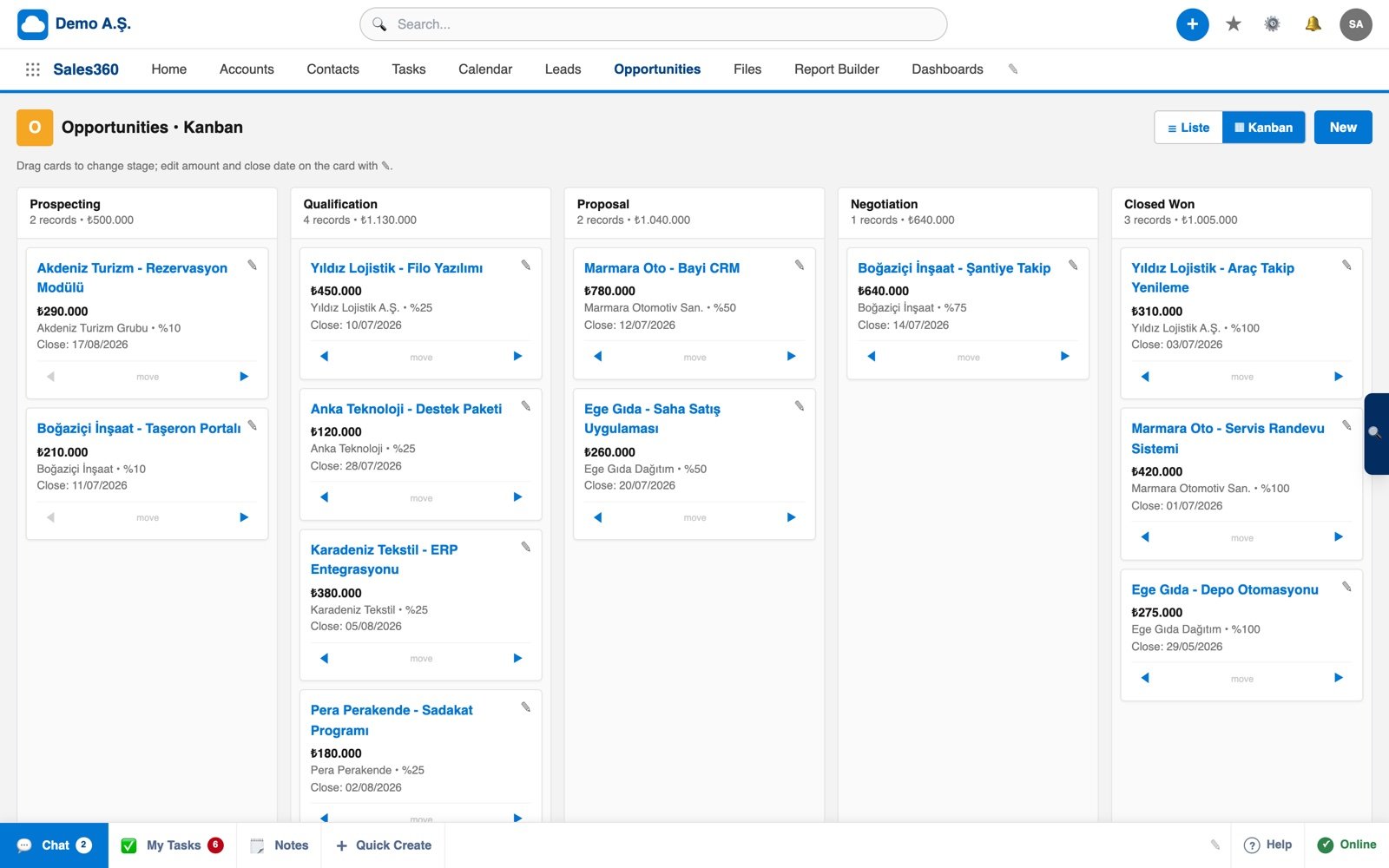
Want to see the board in action in 57 seconds?
Frequently asked questions
Is the Excel customer tracking template really free?
Which columns should a customer tracking spreadsheet have?
At how many customers does Excel stop working?
How do I move my Excel data into a CRM?
Isn't switching to a CRM expensive?
If your sheet has hit its limit
Export your Excel file as CSV, import it in 15 minutes, and get the whole team looking at the same up-to-date data. No credit card required to set up.