For a growing number of small businesses, the first sales conversation no longer happens on a call. It happens in a chat thread: a price question, a photo, an address, a "let me get back to you tonight". The catch is that managing customers on WhatsApp is not a feature you can switch on. WhatsApp is a messaging app, not a system of record. This guide is not an integration pitch; it is a working routine that moves information from the thread into a record, plus an honest look at what WhatsApp Business tools do and where they stop.
To be clear: we are not telling you to leave the chat app. Your customers are there and they want their answers there. The only thing that has to change is what you do in the minute after the conversation ends.
Why chat based selling leaks
Nobody chooses to lose deals in a messaging app. The leaks come from how the tool works, and there are five of them:
- The thread moves, the record never exists. Inboxes sort by the most recent message. A customer who goes quiet for three days sinks below the fold and, in practice, disappears.
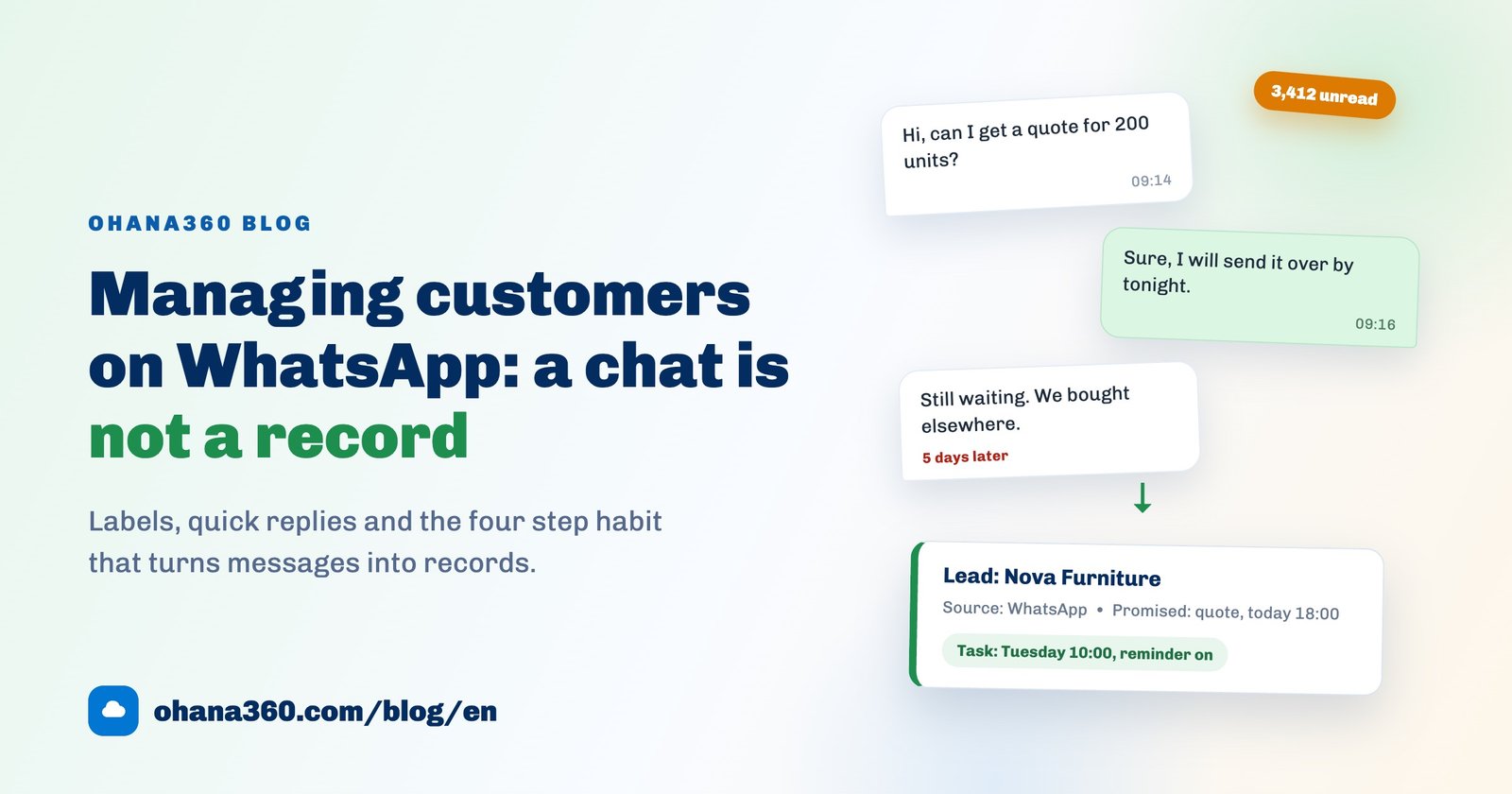
- Promises are buried inside sentences. "I will send the quote tomorrow" is a commitment, but it is stored nowhere as a date. The only thing reminding you is the customer, and often they do not remind you, they just buy elsewhere.
- The number is personal. If the conversations live on an employee's handset, so does the customer relationship. Holidays, sick leave and resignations take the entire sales history with them.
- The same answer gets typed again and again. Prices, delivery times, address details: dozens of times a week, by hand.
- There are no numbers. At the end of the month you cannot say how many enquiries arrived, how many became quotes, or which channel produced them. What you cannot measure, you cannot budget for.
If that list feels familiar, it is the same root problem spreadsheet users hit, only faster: the "no reminders, no history" failures described in our Excel customer tracking guide simply happen at chat speed here.
WhatsApp Business tools: what they do, where they stop
The free WhatsApp Business app is genuinely useful, and used well it absorbs a real share of daily work. But every tool has an edge, and knowing where it sits saves you from the wrong expectations.
| WhatsApp Business feature | What it actually does | Where it stops | What a record system adds beside it |
|---|---|---|---|
| Labels | Groups threads with coloured labels: new enquiry, awaiting payment, order placed. | Lives only in the inbox on that handset. It does not report, does not carry dates and is not shared with the team. | A status field: reportable, time stamped, one version of the truth everyone sees. |
| Quick replies | Sends your most repeated answers via a shortcut. The most concrete time saver in the app. | It sends text, it does not create anything. You never know who received what, or how many times. | The quote you sent becomes a logged event with an automatic follow-up date. |
| Catalog | Shows products and prices inside the app and can be shared as a link. | No line items, discounts, payment terms or invoices. A catalog is a shop window, not a document engine. | Itemised quotes, orders and printable PDF invoices with payment and due date tracking. |
| Greeting and away messages | Replies automatically outside business hours so the first touch is never missed. | It answers, it does not follow up. Who picks that enquiry up in the morning is undefined. | An enquiry with an owner, a due date and a reminder attached. |
| Broadcast lists | Sends an announcement to people who saved your number. | Lists are maintained by hand, there is no segmentation, and interest is not measured. | Lists filtered by source and status, with every outcome written back to the record. |
| Export chat | Exports the text of one conversation as a file. | One thread at a time, manually. With 400 customers that is not an archive you can use. | A full ZIP export of everything, included in every plan. |
From message to record: the four step flow
The routine rests on one sentence: the record opens before the chat closes. Records postponed to "later" are, half the time, never created at all.
Every step works from a phone. Ohana360's iOS and Android apps are included in every plan, so stepping out of the thread and into the record does not mean waiting until you are back at a desk.
The six fields worth capturing
The most common mistake teams make on day one is building a 25 field form. Nobody fills it in and the system dies within two weeks. Start with six:
- Name and company: the chat profile name is often not their real name. Ask once.
- Phone: the thread is already a number, put it in the record too.
- What they asked for: one sentence. "200 units, March delivery" is enough.
- Source: write WhatsApp. Three months from now this is the only field that tells you which channel actually produced business.
- What you promised: what, to whom, by when. Without this field there is no follow-up.
- Follow-up date: a task with a reminder. Everyone who relies on memory loses a few deals a month.
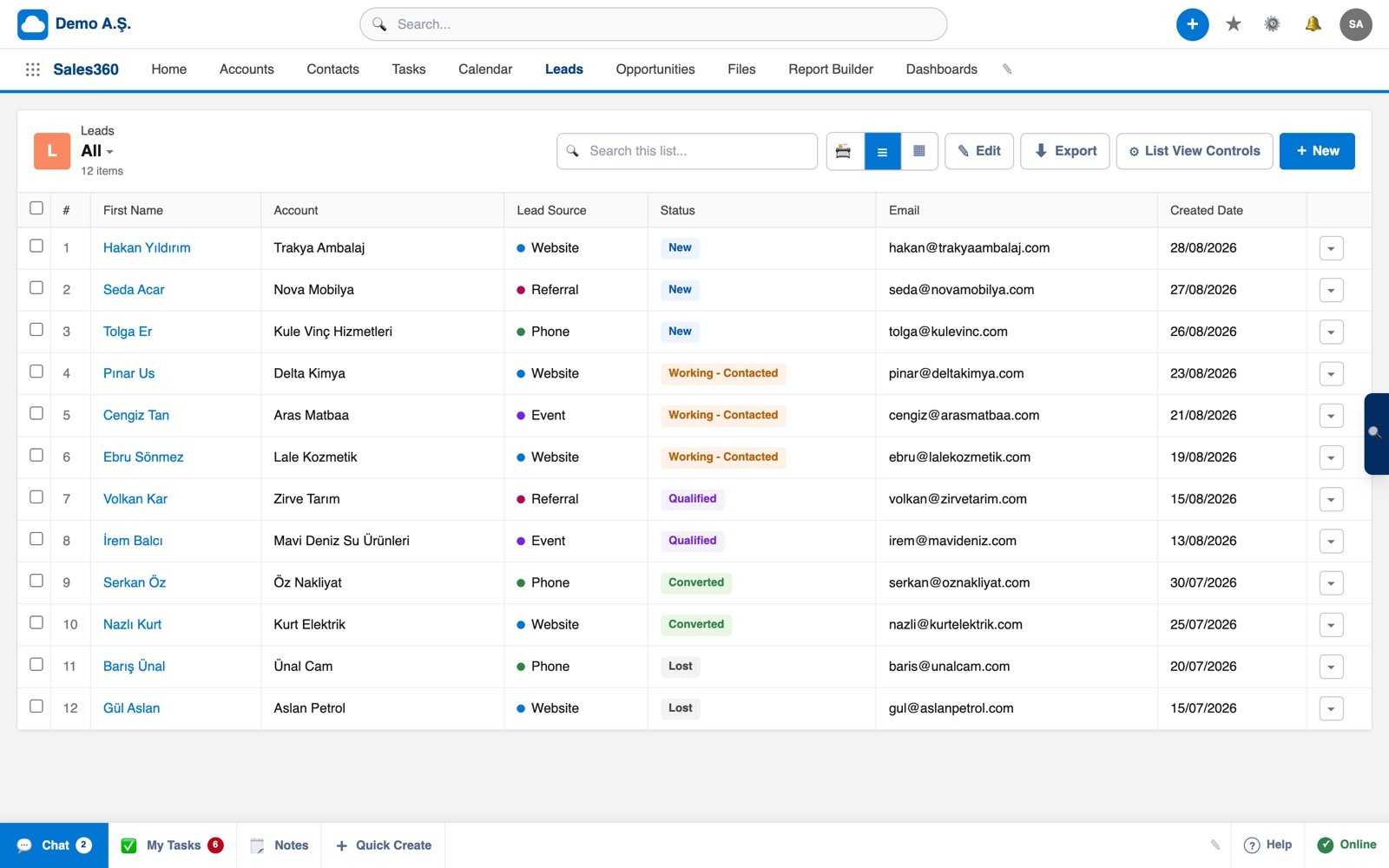
Those six fields turn into a lead list like the one below. The Lead Source column is the single piece of data that tells you where next quarter's budget should go.
The daily routine: empty the inbox three times
No system survives without a habit around it. The simplest one that holds up in practice is clearing the inbox three times a day:
- Morning (15 minutes): overnight messages. Answer what needs answering, and open a record for every thread that could become a sale. No thread gets archived without one.
- Afternoon (10 minutes): the day's arrivals. Turn every promise into a dated task, so "I will send the price" acquires an actual hour.
- End of day (5 minutes): close today's task list. Whatever does not close moves to tomorrow with the reason written down.
Thirty minutes a day. In exchange, at month end you can say "46 enquiries, 12 quotes, 5 won". A business that cannot say that sentence is spending its marketing budget on a guess.
When a team shares one number
Past two people, shared inboxes get messy, and the problem is not technical: it is ownership. Three rules end most of the arguments:
- The number belongs to the company. A relationship running through an employee's personal line is that employee's asset. A company line can be handed over on their last day.
- Every conversation has one owner. When the owner field in the record is filled, "I thought you were handling it" stops being possible.
- Do not accumulate personal data in the thread. ID photos, card details and health information sitting in a chat backup are both unnecessary and risky. Storing them in a permissioned system matters because you can see who accessed what and when, which is exactly why Ohana360 keeps record level and field level change history.
What happens after the record
Opening a record is the beginning, not the end. If the enquiry turns into real business, that same record should carry through to an opportunity and a quote. In practice: a lead that qualifies becomes an opportunity in Sales360 and moves stage by stage on a kanban board. When you reach the quoting stage, Finance360 produces an itemised quote, converts it to an order once accepted, and issues a printable PDF invoice with payment and due date tracking in the same place.
The important part: your customer is still writing to you in the chat app, and you are still replying there. The only difference is that the conversation now leaves a trace.
What about integration? The honest answer
Most articles reach this point and say "connect WhatsApp in one click". We cannot: Ohana360 has no WhatsApp integration. Messages do not land in records automatically and chat history does not sync into the CRM. We would rather write that here, because a gap discovered after setup costs far more than a gap known before buying.
Solutions built on the official WhatsApp Business API do exist. They require an approved number, pre-approved message templates and a fee per conversation. For a business handling a few hundred chats a month, the cost and complexity of that setup usually exceed the problem it solves. The four step flow in this guide delivers the same outcome through a 60 second habit.
What Ohana360 does here is narrow and clear: it is the record system that sits beside the chat app. Tasks and reminders arrive as push notifications on your phone, change history shows who edited what, and every plan includes a full ZIP export of your data. Pricing is public and fixed: core apps are 150 EUR per month per organization, and the current list is on the pricing page. If you are still comparing no-cost options, our free CRM software guide covers them without the gloss.
Frequently asked questions
Is WhatsApp Business enough on its own?
Can I sync WhatsApp conversations into a CRM automatically?
How long does it really take to log a conversation?
What happens to WhatsApp customers when a salesperson leaves?
Should I use labels or CRM statuses?
Let the chat flow, keep the record
Your customers can keep writing in the chat app. Log the enquiry in 60 seconds, attach the follow-up to a reminder, and see at month end exactly how much business came from where.