Most owners looking for patient management software for small clinics do not have a software problem. They have a scattering problem: the appointment book, the WhatsApp thread and the cash ledger each hold a third of the truth. That arrangement works for a long time. Then two patients get the same slot, nobody calls the one who skipped their follow-up, and at month end no one remembers who still owes what. The cause is not carelessness, it is that the information lives in three places that never look at each other.
This guide is written from the point of view of a small private clinic with two practitioners and one person at the front desk. The examples run through a made-up clinic called Nova Dental Clinic (demo data), and everything here applies just as well to aesthetic, physiotherapy and veterinary practices. In order: where tracking breaks, the eight things a good system must have, per-practitioner calendars and visit status paths, reminder and follow-up discipline, day-end reconciliation, practical rules for patient data, a seven-day setup plan, and finally what Ohana360's clinic app does and does not do.
Where clinic tracking breaks
Almost every small clinic runs on the same three tools: an appointment book (paper or a calendar app), WhatsApp (confirmations, cancellations, photos, all in one thread) and a cash ledger or spreadsheet. Each is fine on its own. The breakage happens because none of them looks at the others.
- The appointment book does not know who arrived. A time written down is not a patient who came. Since no-shows are never marked, "how many people skipped this month" is answered by guessing.
- WhatsApp is not a record. A patient asks to move to Tuesday, the front desk says yes, the book stays unchanged. The conversation stays on a phone and leaves no trace in the system.
- The cash ledger does not know the patient. You know the day's total, but not which visit produced it or who paid short.
- The follow-up appointment belongs to nobody. "See you in three weeks" is said as the patient leaves. Three weeks later the only person who could remember that sentence is the patient, and they usually do not.
- Knowledge collects in one person. When the front desk takes a week off, the clinic slows down. That is a missing system, not a missing skill.
What fixes this is not more discipline, it is the information meeting on one record. The same problem on the commercial side is covered in what a CRM is, and the spreadsheet version of it in the Excel customer tracking guide.
The 8 things patient management software must have
Feature lists in clinic software are long; the part that matters is short. If a product cannot show you these eight, extending the trial will not change the outcome.
| Feature | Why it matters | What happens without it |
|---|---|---|
| 1. Patient records with file numbers | Several people share the same name and need a distinguishable number | Two patients' histories merge, and the reminder call goes to the wrong person |
| 2. A calendar per practitioner | Both practitioners' days must sit side by side, with open slots as visible as full ones | Two patients get the same slot, the waiting room fills, and open time goes unnoticed |
| 3. Appointment status booked, arrived, completed, no-show | You cannot fix no-shows without counting them | "How many skipped this month" is always an estimate |
| 4. Visit history and notes | At the follow-up you need last time on the same record: note, diagnosis, file | The practitioner asks the same question again and the patient feels unheard |
| 5. Reminders | An appointment nobody reminds is an appointment somebody forgets | Freed-up slots stay empty because you learn about them too late |
| 6. Follow-up tracking | Both the clinical outcome and the relationship are decided at the follow-up | The patient reappears a year later, at another clinic |
| 7. Payment status and balance | A finished visit is not a collected fee | At month end nobody knows who owes what, and the conversation gets awkward |
| 8. Role-based access and audit logs | Patient data is not something everyone should see | When someone asks who opened a record, there is no answer |
Per-practitioner calendars and the visit status path
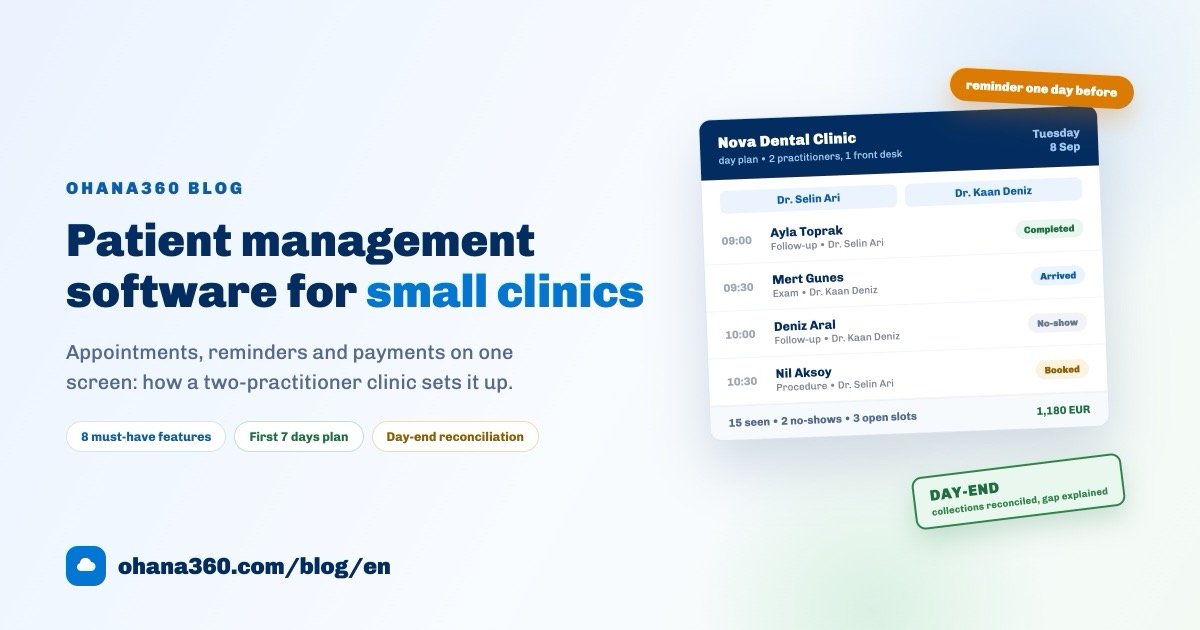
One shared calendar is not enough for two practitioners. The day should be split into columns: whoever is booked looks booked, whoever is free looks free. The diagram below shows a Tuesday at Nova Dental Clinic (demo data).
The value of this screen is in the boxes on the right. If at the end of the day you can say "18 booked, 15 seen, 2 no-shows, 3 hours left open", you can plan tomorrow; if you cannot, you are measuring the clinic by feel.
The second idea is the status path. A visit is not one line but three running in parallel: the state of the appointment, the patient and the payment. Blur them together and "the visit is done" starts to sound like "the money is in".
The distinction looks small, but the whole day-end reconciliation rests on it: completed visits and collected money do not have to match, the gap between them has to be explainable.
Reminder and follow-up discipline
There is no magic cure for no-shows, but there is a rhythm that works. Here is the version Nova Dental Clinic runs:
- The phone number is verified when the appointment is made. A record without a number cannot be reminded, so the number is a condition of the booking.
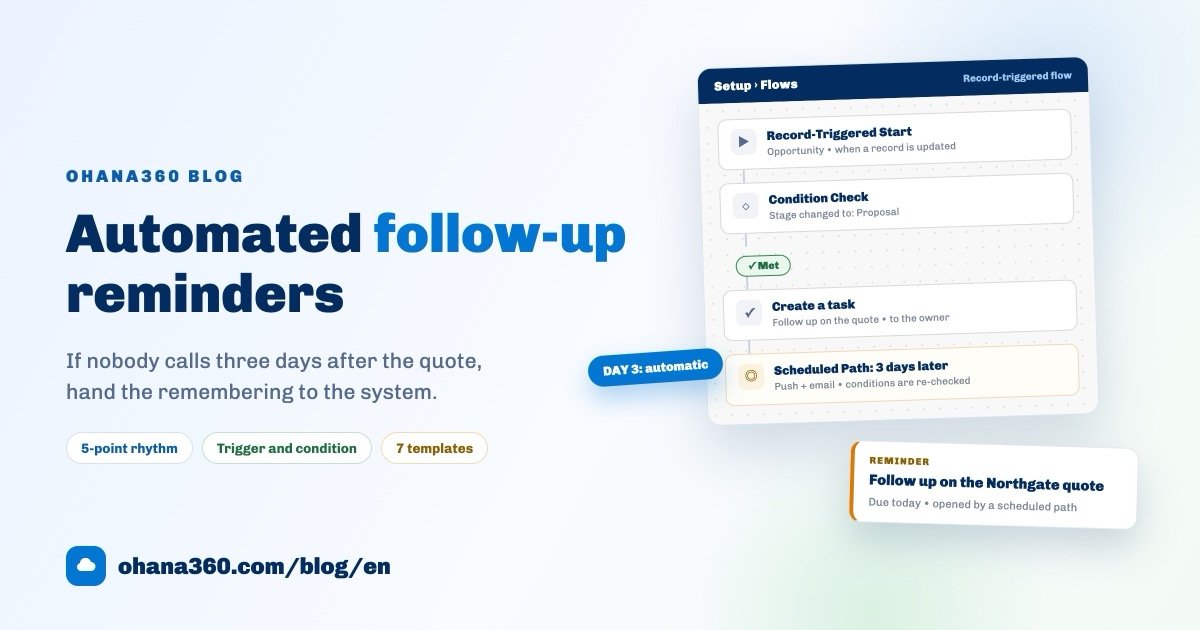
- A reminder one day before. The system notifies the team, the front desk sends the patient a ready message in one click. Keep it short: clinic name, day, time, and a request to let you know if they cannot make it.
- No-shows are marked the same day. "No-show" is recorded as a status. An unmarked no-show never happened.
- No-shows are called once a week. Friday afternoon, the week's no-show list is worked through and rebooked. That call is patient follow-up, not sales.
- The follow-up appointment is booked before the patient leaves. This is the most important line here. "We will call you" is the most expensive sentence in a clinic; an appointment made while the patient is standing there and the calendar is on screen holds far better than a message sent three weeks later.
- Missed follow-ups are their own list. Appointments of type "Follow-up" left in status "No-show" belong on one list that somebody owns every week.
In most clinics the channel to the patient is WhatsApp, and that is fine, with two rules: send it from the record so it leaves a trace, and never put a diagnosis, treatment or result in the message. Confirming a time is one thing, sharing clinical information is another. How to keep that channel disciplined is covered in the WhatsApp customer management guide; the logic is identical in a clinic.
Collections and the day-end reconciliation
Clinics rarely lose money in one dramatic event. They lose it in a quiet gap: a patient leaves without paying, nobody notices, and two weeks later there is a receivable nobody remembers. What prevents it is not sophisticated accounting, it is that every visit produces a payment record.
The practical rule: every completed visit creates one collection line. Even if the amount is zero (contract patient, warranty work, free check), the line is created and the reason written down. Then at month end you can compare "how many visits" against "how many collection lines".
The day-end reconciliation takes five minutes and looks at three numbers:
- The fee total of today's completed visits. What did the clinic produce?
- The total of collections marked Paid today. What actually came in?
- The gap and its reason. Instalment plan, unpaid exit, or billed to an insurer?
In the example day at Nova Dental Clinic the gap was a single line: a 150 EUR visit closed without payment and the collection line stayed in Pending (demo data). As long as the gap can be explained there is no problem; when it cannot, the loss has already started.
Practical rules for patient data
Patient data is among the most sensitive information you can hold. The list below is not a legal checklist, it is the set of rules clinics can actually keep. For the full list of your obligations under your local data protection law, ask your own adviser.
- Do not collect more than you need. Every field on your intake form is a field you have to protect for years. If it does not change a decision, do not open it.
- No shared logins. In a clinic where everyone signs in as "front desk", who did what is unknowable. One account per person.
- Tie visibility to roles. Whoever handles the money does not need the diagnosis note; the assistant does not need the balance report.
- Turn on two-factor authentication. Clinic accounts are usually taken over by one click on one phone.
- Keep the audit log running. "Who opened this record" must have an answer. That protects the team rather than accusing it.
- Close a leaver's access the same day. The most skipped and most expensive item on this list.
- Limit exports. The number of people who can download the patient list as CSV should fit on one hand.
- Keep clinical detail out of messaging. WhatsApp is for confirming a time, not for test results, diagnoses or treatment plans.
The first 7 days: a setup plan
Moves to clinic software usually fail for one reason: trying to migrate everything at once. Seven days, one hour a day, is enough for most small clinics.
| Day | What to do | What you have at the end of it |
|---|---|---|
| 1 | Import the patient list from CSV: name, phone, date of birth, department, existing file number | A searchable patient database |
| 2 | Define practitioners, departments and appointment types (exam, follow-up, procedure) | The skeleton of the calendar |
| 3 | Enter the next two weeks of appointments; keep the paper book, but run both | A calendar with real data in it |
| 4 | Enter outstanding balances as collection records: who, how much, due when | A real receivables list |
| 5 | Set up the reminder flow and edit the message template into your clinic's own words | A reminder that runs itself |
| 6 | Build three reports: revenue by practitioner, appointments by status, outstanding collections | A dashboard worth opening weekly |
| 7 | Switch on roles, two-factor authentication and audit logs; run a 30-minute rehearsal with the team | A working, protected setup |
On day eight, close the paper book. Running two systems is useful in week one and harmful in week two: nobody writes in both places.
How Clinic360 works in Ohana360
Clinic360 is the industry edition of the Ohana360 platform for clinics. What it does, without inflation: patient records, an appointment calendar, visit status and collection tracking. What it does not do, said plainly: it has no integration with national health systems, it does not connect to e-Nabız or MHRS in Turkey, and it does not issue legal electronic invoices.
- Patient record: file number, contact details, date of birth, gender, blood type, department, assigned practitioner, allergy and notes; visit history, collections, files and tasks on the same page.
- Appointment: date and time, department, practitioner, type (exam, follow-up, procedure, consultation, test, vaccination), complaint, diagnosis, treatment, prescription and fee. Statuses: Booked, Confirmed, Arrived, Completed, No-show, Cancelled.
- Collection: patient, amount, due date and status (Pending, Invoiced, Paid). Overdue lines show in red, and the patient record shows collected and outstanding totals at the top.
- Calendar: appointments also appear on the platform's unified calendar, where the practitioner is shown as the owner.
- Reminder flow: a ready template called "Reminder one day before the appointment" sends a push notification to the record owner the day before. How many days ahead is set in the clinic settings.
- WhatsApp: if the WhatsApp360 add-on is in your package, any patient record with a phone number gets a WhatsApp button. Pick the ready "Appointment reminder" template, edit the text, and the send is logged as an activity on the record.
- Security: per-clinic data isolation, role-based access, audit logs and optional mandatory two-factor authentication.
- Migration and mobile: patient lists import from CSV, and the iOS and Android apps are included in every plan.
If you would rather see it than read it:
A clinic dashboard: which reports to build
Two clinic reports ship in the standard report list ("Patients by Department" and "Appointment Fees by Practitioner"); the rest you build on the Reports screen and place on a dashboard. The list below is an example panel that works for a small clinic. Each row is one object, one grouping and one measure, so each takes a couple of minutes to set up.
| # | Report | Object | Group by | Measure / filter |
|---|---|---|---|---|
| 1 | Appointments per day (utilisation) | Appointments | Date (day) | Record count |
| 2 | Fees by practitioner | Appointments | Practitioner | Sum of fee (ships as standard) |
| 3 | Average visit value by practitioner | Appointments | Practitioner | Average fee |
| 4 | Monthly clinic revenue | Appointments | Date (calendar month) | Sum of fee |
| 5 | Appointments by status (no-show rate) | Appointments | Status | Record count |
| 6 | Missed follow-ups | Appointments | Practitioner | Record count, filter: Type = Follow-up, Status = No-show |
| 7 | Appointments by type | Appointments | Type | Record count |
| 8 | Revenue by department | Appointments | Department | Sum of fee |
| 9 | Collections by status | Collections | Status | Sum of amount |
| 10 | Overdue outstanding payments | Collections | Due date (day) | Sum of amount, filter: Due < today, Status ≠ Paid |
| 11 | Collected per month | Collections | Due date (calendar month) | Sum of amount, filter: Status = Paid |
| 12 | Patients by department | Patients | Department | Record count (ships as standard) |
| 13 | Patient status mix | Patients | Status | Record count |
| 14 | New patients per month | Patients | Created (calendar month) | Record count |
Put those on one dashboard and subscribe to it by email: daily, on weekdays, or on a chosen day, at an hour you pick. The three numbers to check weekly are utilisation, no-show rate and outstanding collections; the rest explain why those three look the way they do.
To try it on your own data, sign up and enable Clinic360 from the marketplace, or request a demo. On pricing, industry editions are 250 EUR per month per organization, the price is fixed and does not change with campaigns; current numbers are on the pricing page.
Frequently asked questions
What does patient management software actually do?
Which features does a small clinic really need?
Does Clinic360 integrate with national health systems?
How should patient data be protected?
Are appointment reminders sent automatically?
Keep your clinic's day on one screen
Patient records, a calendar per practitioner, a reminder flow and collection tracking in the same place. No credit card needed to set up.