Write the answer once, reuse it forever.
Knowledge360 is the company brain: help articles, solutions and FAQs organized by category, searchable from anywhere in the CRM and linkable to support cases so agents stop answering the same question twice.
| Article | Category | Views | Status |
|---|---|---|---|
| Getting started in 10 minutes | Onboarding | 1,204 | Published |
| Importing data from CSV | Data | 864 | Published |
| Setting up SLA targets | Service | 412 | Published |
| Custom fields and objects | Setup | 388 | Draft |
Watch Knowledge360 in action
One minute: the desktop and the mobile experience, recorded from the real product.
What you get with Knowledge360
Write and organize articles with categories, statuses and owners.
Articles show up in the command palette and global search next to your records.
Attach the right article to a support case and resolve it in seconds.
Publish selected content to your customer-facing help site.
Draft, review and publish states keep quality under control.
See which articles carry the load and where the gaps are.
Move your top ten support answers into articles and watch repeat tickets shrink this week.
Write the answer once, use it forever
Every team answers the same questions again and again, slightly differently each time. Knowledge360 is a knowledge base software that captures the good answer once: categorized articles with drafts, publishing and full-text search.
Articles link directly to support cases, so agents answer with one click and customers get consistent quality. Categories keep the library organized as it grows, and the editorial flow (draft, then publish) keeps half-written notes out of sight.
Search works across everything, and because the knowledge base shares the platform with your CRM, an article can reference real processes: the same statuses, the same fields your team sees every day.
Who is Knowledge360 for?
Answer repeat questions once, then reuse the article in every case.
Procedures and how-tos live where the team already works.
Company knowledge stops leaving when a person does.
Building a living knowledge base in four steps
Turn a well-answered case into a draft article in minutes.
Group articles so browsing works as well as search.
Published articles appear in case workflows with one-click linking.
Update articles as the product changes; drafts keep edits safe.
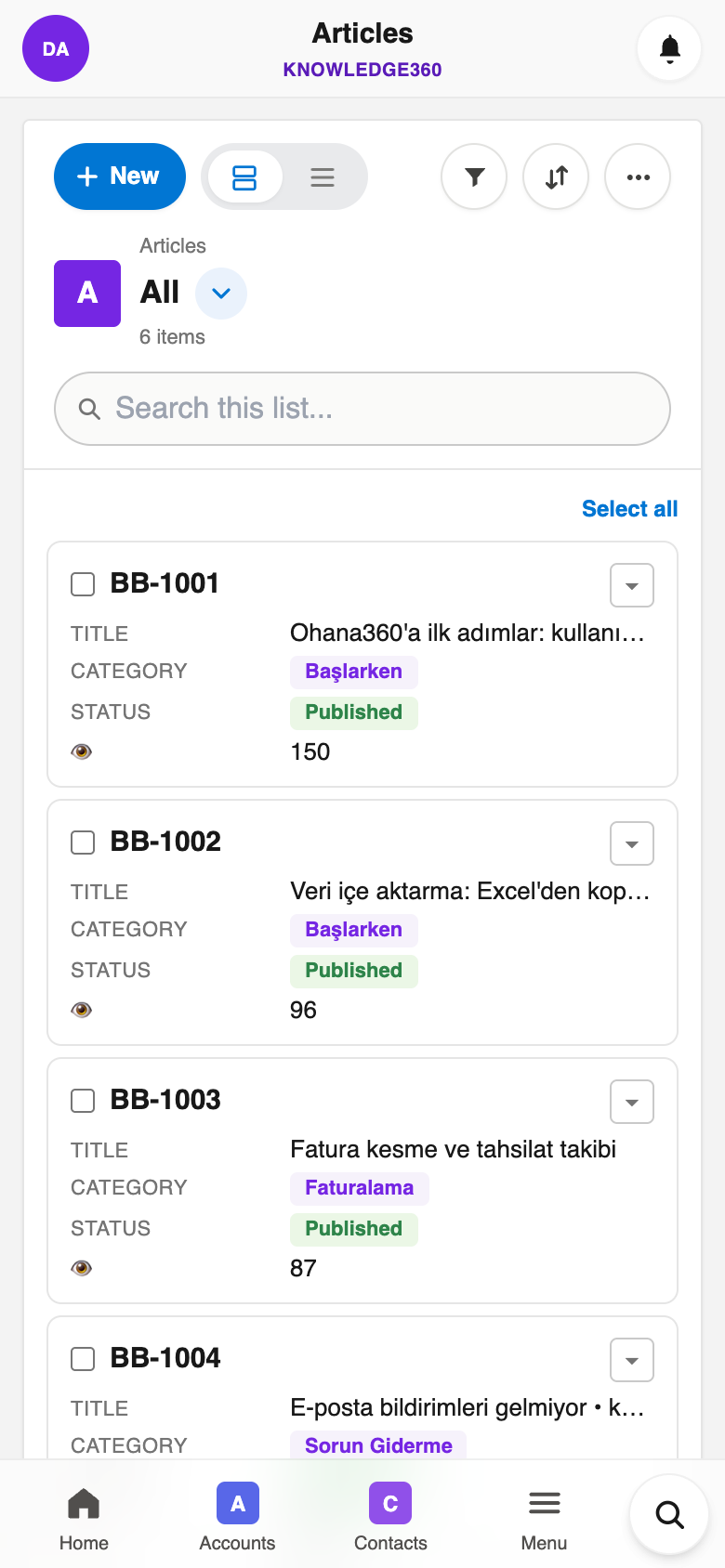
Knowledge360 in your pocket
Everything above works in the Ohana360 mobile apps too: a bottom tab bar with your favorite tabs, one-tap actions and push notifications. Included in every plan.
And everything the platform gives every app
Built to be trusted
The same protections on every app, in every plan.
Your organization's data lives in Frankfurt, Germany, served over HTTPS with HSTS.
Nightly database backups with an off-site copy, plus a weekly export of your organization you can download.
Privacy policy, data processing agreement and sub-processor list are public; you can delete your account and export your data at any time.
Two-factor sign-in, profiles and permission sets, sharing rules and a full audit log.
Live availability and 90 days of history at status.ohana360.com.
Built and operated by digitalforce360 OÜ, registered in Estonia (EU), with public company details.
Frequently asked questions
A knowledge base software: write help articles once, organize them by category and reuse them in support cases.
Yes, articles are suggested and linked on case records so repeat questions are answered in seconds.
Full-text search across articles, plus draft and publish states for a clean editorial flow.
Articles are internal to your organization today; the team uses them to answer consistently and fast.
Yes, records import from CSV so your current spreadsheet becomes your starting database in minutes.
Real iOS and Android apps are included with every plan, so your records are with you everywhere.
Add-ons are €50 per month per organization, billed annually; extra users are €25 per month.
Try Knowledge360 with your own data
Start free, then enable Knowledge360 from the marketplace as an add-on.