What is CRM? CRM stands for Customer Relationship Management, and in practice it is software that keeps everything you know about a customer or a prospect in a single record. Who spoke to them, what was discussed, what was quoted, what they are waiting for and what happens next: all of it in one place that the whole team can read.
That is the whole definition. Everything else you will see in a demo (kanban boards, reports, automations) is built on top of that one idea. This guide explains CRM without the sales gloss: what it fixes, what the vocabulary actually means, who genuinely needs one, who does not, and what to do in your first week if you decide to try.
The easiest way to understand CRM
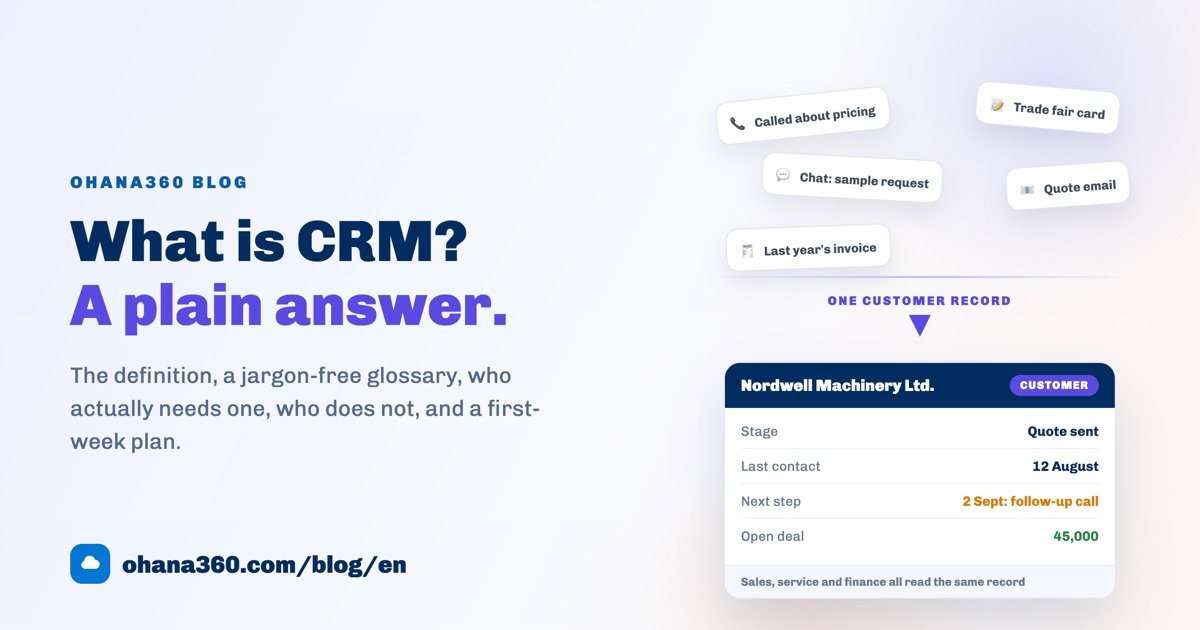
In a small business, customer information usually lives in five places at once: someone's call history, a messaging app, an inbox, the invoice folder in accounting and a stack of business cards. Every piece is true, and none of them is enough on its own.
A CRM pulls those pieces under one customer record. When you search for "Nordwell Machinery" you no longer get a phone number, you get a story: when they first showed interest, who spoke to them, what price was offered, what they pushed back on, and when someone should call again.
The anatomy of a CRM: one record at the centre
The diagram below shows how a CRM is put together. The customer record sits in the middle; sales, service, finance, marketing, tasks and reporting all orbit that same record. Different teams look at different screens, but they are all looking at one truth.
You do not need to switch on every ring on day one. Most companies start with sales, add invoicing and payment tracking a few months later, and set up the service side last. That order is the right one: an unused module is more tiring than a module you never installed.
What problems does a CRM actually solve?
Instead of a feature list, here are the five complaints we hear most often from small teams.
- "We forgot to follow up." The most expensive mistake there is. In a CRM every deal carries a next step and a date; when the date arrives it shows up in a task list and as a push notification on your phone. Forgetting now takes effort.
- "What did we discuss with this customer?" The activity history sits under the record. Thirty seconds before a call you read the last three touches, and the customer does not have to repeat themselves.
- "How much will we close this month?" Once open deals are lined up by stage, forecasting stops being guesswork. You do not wait for month end to see the total sitting in the quote stage.
- "Who gave that discount?" Record and field change history means pricing arguments rest on the log, not on memory.
- "He left the company and took the customers with him." The data lives in the company's system, not in one person's phone. Handover takes an afternoon instead of three months.
A glossary of the core terms
CRM vocabulary sounds needlessly technical, but every word maps onto something you already do:
| Term | What it means in plain language | Example |
|---|---|---|
| Lead | A person or company that has shown interest but is not a customer yet | Someone who requested a price list through your website form |
| Contact and Account | The contact is the person, the account is the company they belong to | Anna Berg (contact), Nordwell Machinery (account) |
| Deal (opportunity) | A concrete piece of business that could turn into revenue | Nordwell Machinery, compressor purchase, 45,000 EUR |
| Stage | Where a deal currently sits in your sales process | Meeting, Quote, Negotiation, Won, Lost |
| Pipeline | All open deals lined up by stage, which is really your revenue forecast | 6 deals in the quote stage, 320,000 EUR in total |
| Activity | A record of every touch you have with the customer | Call on 12 August, with the note attached |
| Task and reminder | Something to be done, with an owner and a date | 2 September: call Anna to confirm |
| Segment | A list of customers grouped by a shared attribute | Customers who have not ordered in the last 6 months |
| Conversion | Turning a lead into a real customer | Lead → contact + account + deal |
Learn those nine words and you will not get lost in any CRM. Product names differ (some call a deal an opportunity, a stage a status), but the logic is the same everywhere.
What it looks like on screen
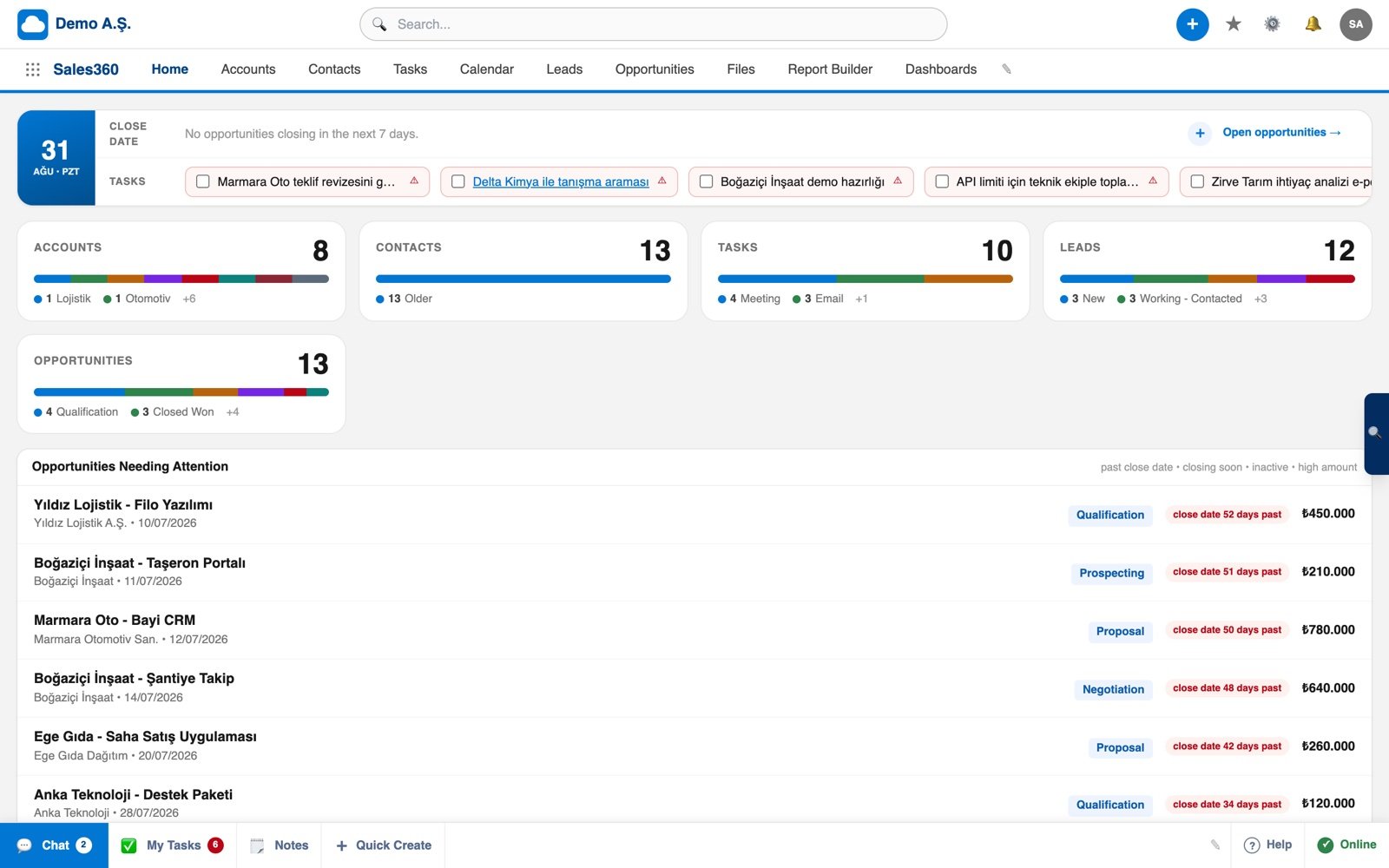
Enough theory. The screen below is the home page of a sales app: what to do today on one side, open deals in the middle, the month's summary on top. The goal is simple, when you log in each morning the answer to "who should I call today" is already on the screen.
If you would rather see it working for 57 seconds:
Who needs a CRM, and who does not
This part is written honestly, because a CRM introduced at the wrong moment burns more patience than money.
You need one if:
- More than one person touches the same customer. The moment there are two of you, "who called, and what did they say" becomes a daily question.
- A sale takes more than one conversation. Quotes, samples and negotiations mean there is a process worth tracking.
- You have repeat business. Maintenance, renewals, subscriptions, seasonal orders: without reminders these quietly slip away.
- More than 20 new enquiries arrive each month. At that volume memory and a notebook simply run out of room.
- Customer knowledge walks out when someone resigns. That is not a software problem, it is commercial risk.
You do not need one if:
- You work alone with a handful of customers a month. A well-built sheet will carry you for months; see our guide to customer tracking in Excel for a free template.
- Your sales happen at the counter with no repeat contact. A corner shop needs a decent point of sale system, not a CRM.
- Your work is one-off projects. If you touch a customer once and the job ends, pipeline tracking is extra weight.
- Nobody intends to enter the data. This is the most important line here. If no one creates records, a CRM is just an empty screen with a monthly bill.
If budget is what is holding the decision back, our honest guide to free CRM software breaks down what "free" really costs.
A first-week plan for a small team
CRM projects usually sink under the ambition to configure everything at once. The plan below is built for a team of one to five and needs less than an hour a day.
| Day | What you do | Why |
|---|---|---|
| 1 | Narrow the scope to sales only. No service, marketing or HR this week. | Narrow projects finish; broad ones get postponed. |
| 2 | Export your customer list to CSV and run it through the import wizard. | An empty system excites nobody; see your own customers on day one. |
| 3 | Write your sales stages in your own words, and stop at five. | Template stages describe someone else's process. The words your team already uses will stick. |
| 4 | Enter your open work as deals: company, value, stage, expected close date. | This is where your first pipeline appears, and your month-end forecast becomes visible. |
| 5 | Give every deal a next step with a date, and let each one become a task. | This single step is what turns a system into a habit. |
| 6 | Connect a web form so enquiries land directly as leads. | The less you type by hand, the better your data stays. |
| 7 | Set one rule: "if it is not in the CRM, it did not happen." Run a 10-minute task review each morning. | No software works without the discipline behind it. |
From week two onwards the money side usually comes next: building quotes line by line, turning them into orders, producing a printable PDF invoice and chasing payment terms. In Ohana360 that part lives in Finance360, while the sales side sits in Sales360.
Six things to check before you choose
- Is the price public? If there is a "talk to sales" wall, someone else is planning your budget.
- Can you get your data back? Test the export on day one. In Ohana360 a full ZIP export is included in every package.
- Does it work on a phone? Field teams do not sit at desks, so iOS and Android apps matter.
- Language and support. The interface and the support team should speak your team's language, or adoption drops.
- Setup weight. If it cannot stand up in a week without a consultant, it is too heavy for your size.
- Change history. If you cannot see who changed what and when, arguments go back to relying on memory.
On price, the numbers are open: core apps are 150 EUR a month, add-ons 50 EUR and industry editions 250 EUR; prices are fixed and do not change with campaigns. The current list is on the pricing page.
Frequently asked questions
What is CRM in simple terms?
What is the difference between a CRM and a spreadsheet?
Does a small business really need a CRM?
How long does it take to set up a CRM?
Is CRM software expensive?
Start with one record
Creating your org is free. Import your customer list, enter your open work as deals, and by the end of the first week your month-end forecast is on screen.