Support that keeps its promises, with SLA timers on every case.
Service360 turns messy support inboxes into an organized case queue: every request gets a number, an owner, a priority and an SLA countdown, so nothing slips and customers always get an answer.
| Case | Subject | Priority | SLA | Status |
|---|---|---|---|---|
| 00042 | Cannot access invoices | High | ⏱ 38m left | In Progress |
| 00041 | Feature question: exports | Normal | ⏱ 3h 20m | New |
| 00040 | Update billing address | Low | ✓ met | Waiting |
| 00039 | Onboarding help | Normal | ✓ met | Resolved |
Watch Service360 in action
One minute: the desktop and the mobile experience, recorded from the real product.
What you get with Service360
Track every request with statuses, priorities, queues and full history on a single record page.
Response-time targets per priority with visible countdowns, so the team always works the right case first.
Drop a form snippet on your site and customer requests become cases automatically.
Link help articles to cases and resolve repeat questions faster with the Knowledge360 add-on.
Route cases to teams, grab work from shared queues and balance the load.
Automatic emails on case updates keep customers informed without extra typing.
Paste the web-to-case snippet on your contact page today and your first ticket arrives with an SLA timer already running.
Turn the support inbox into a case queue with SLAs
A support inbox hides work: who is handling the third email from that customer, which request has been waiting two days, what did we promise? Service360 is a help desk program that turns every request into a numbered case with an owner, a priority and an SLA countdown.
Cases arrive from web-to-case forms on your site or are logged in seconds by the team. Queues route work to the right group, SLA timers per priority make the next urgent case obvious, and automatic email notifications keep customers informed without extra typing. Knowledge360 articles attach to cases so repeat questions are answered once.
Managers finally get the numbers: open cases by priority, resolution times, SLA compliance and workload per agent, all in the report builder and on dashboards you can subscribe to by email.
Who is Service360 for?
A shared case queue with owners, priorities and SLA timers instead of a crowded inbox.
Every client request becomes a tracked case, so scope and effort stay visible.
Internal requests get numbers, owners and deadlines, and stop getting lost in chat.
A request's journey in four steps
Web-to-case or manual entry creates a numbered record with an SLA timer.
Queues and priorities put the right case in front of the right person.
Linked articles and record history make answers fast and consistent.
Outcomes feed SLA and workload reports that improve the next week.
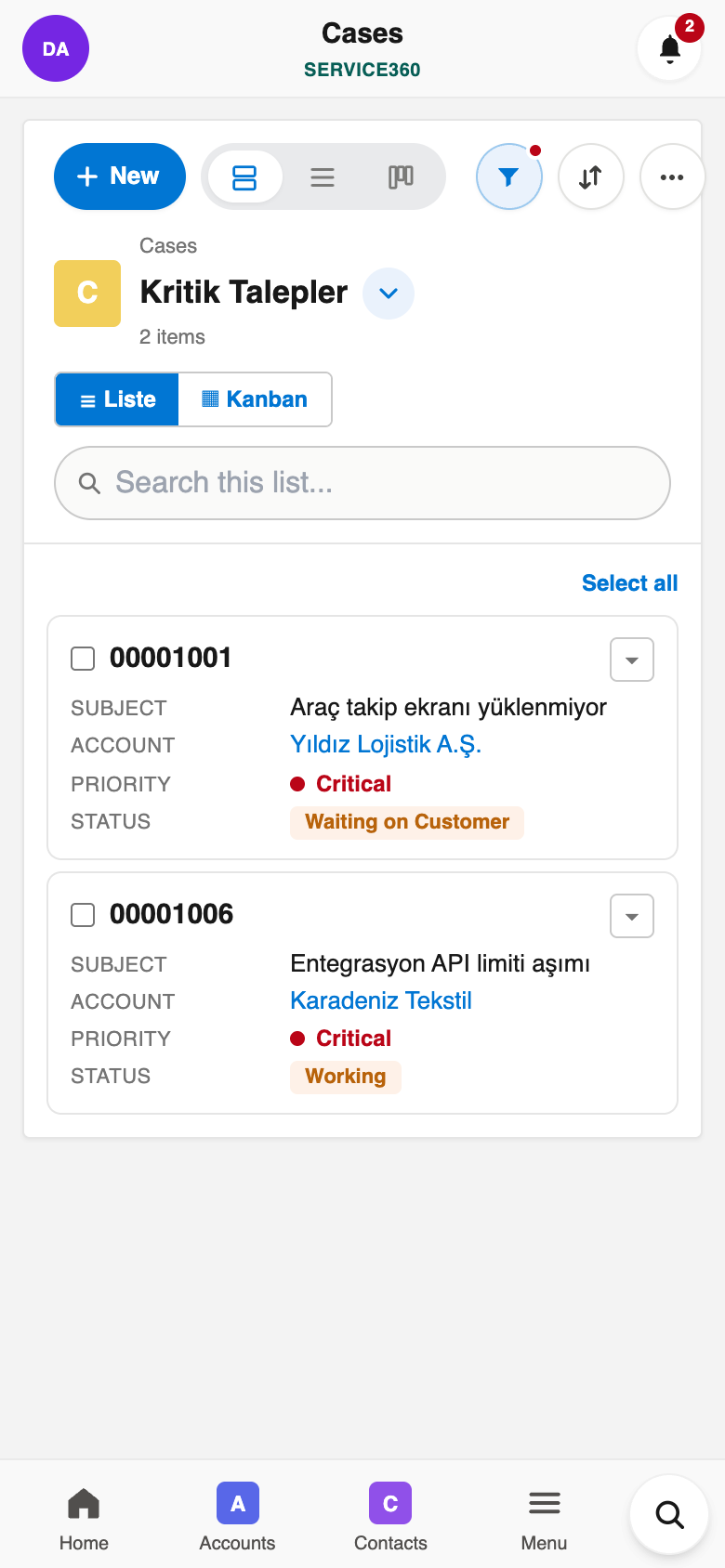
Service360 in your pocket
Everything above works in the Ohana360 mobile apps too: a bottom tab bar with your favorite tabs, one-tap actions and push notifications. Included in every plan.
And everything the platform gives every app
Built to be trusted
The same protections on every app, in every plan.
Your organization's data lives in Frankfurt, Germany, served over HTTPS with HSTS.
Nightly database backups with an off-site copy, plus a weekly export of your organization you can download.
Privacy policy, data processing agreement and sub-processor list are public; you can delete your account and export your data at any time.
Two-factor sign-in, profiles and permission sets, sharing rules and a full audit log.
Live availability and 90 days of history at status.ohana360.com.
Built and operated by digitalforce360 OÜ, registered in Estonia (EU), with public company details.
Frequently asked questions
Yes. Every customer request becomes a numbered case with an owner, priority, SLA countdown and full history, like a modern help desk.
Web-to-case gives you a form snippet; submissions become cases automatically with an SLA timer already running.
Response-time targets per priority with visible countdowns are built in, so the team always works the right case first.
Yes, automatic emails go out on case updates, so customers stay informed without extra typing.
Yes, records import from CSV so your current spreadsheet becomes your starting database in minutes.
Real iOS and Android apps are included with every plan, so your records are with you everywhere.
Core apps are €150 per month per organization (not per user), billed annually; extra users are €25 per month.
Try Service360 with your own data
Start free, then add Service360 from the marketplace. One flat price per organization, not per user.