The short answer to how to write a business quote is this: write a document that answers the questions your buyer has not asked yet. A quote is not a price list. It is the document your contact carries into a room where you are not present, so it has to argue for itself. The test of a good quote is whether someone can approve it without calling you first.
This guide covers the anatomy of a good quote, the 7 steps to write one from scratch, a sample line-item table, how to present price without inflating it, the 5 mistakes that quietly lose deals, and the follow-up rhythm that closes them.
The anatomy of a good quote
Industries differ, the skeleton does not. The seven zones below also match the reading order: buyers check who it came from, jump straight to the total, then work back up through the line items to understand it.
Two of these are almost always missing, and both are expensive: the validity period and what is excluded. A quote with no expiry sits in the buyer's inbox as an undated file. A quote with no scope boundary turns into an "I thought that was included" conversation after the work starts.
Step by step: writing the quote in 7 moves
1. Restate the request in your own words
The first paragraph should not be a price. It should be the job as you understand it: "Move customer tracking for your 12-person sales team off spreadsheets into one system, migrate the existing 1,200 records, and train the team on site." If the buyer recognises themselves here, they read the rest with trust.
2. Break the work into line items
A quote that says "Project fee" on one line reduces the negotiation to one line too: the only move left for the buyer is pushing the total down. With itemised work, the conversation becomes "which item can wait until next quarter", which is healthier for both sides.
3. Give every item a unit and a quantity
Instead of "Training: 3,600", write "On-site training, 8 days, 450 per day". Once the unit price is visible, the buyer can adjust the scope themselves, and you price later additions with the same unit instead of inventing a number under pressure.
4. Build a clean totals block
Subtotal, tax, total: three lines, three numbers. State the tax rate and whether it is included. If you applied a discount, show it as its own line and say briefly why it exists.
5. Write the terms
Payment schedule (deposit and terms), lead time, validity period, and what is out of scope. Writing those four takes five minutes. Not writing them opens weeks of email.
6. Name the next step
A quote should not end with "Kind regards". End it with one action: "If this works, send this document back signed and I will open the order the same day and share the schedule." Buyers move faster when the next move is obvious.
7. Three checks before you send
Do the numbers add up, are the dates right, and is the file named properly (Acme-Quote-2026-041.pdf, not quote_final_v3.pdf). Those three say more about how seriously you take the work than the template design does.
A sample line-item table
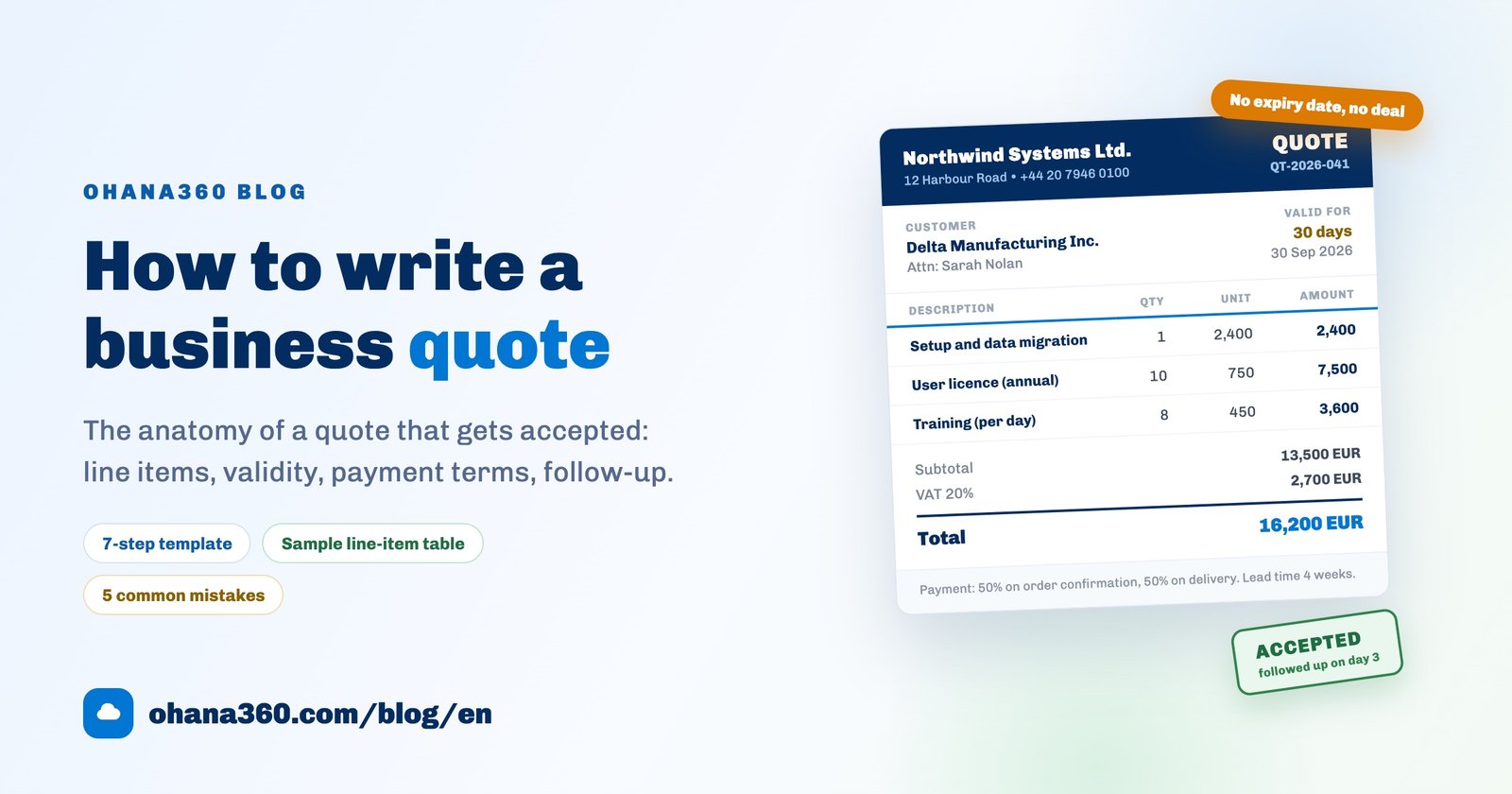
The table below comes from a software and services quote, but the logic carries over to installation, renovation, consulting or manufacturing work: each row describes one job and can be priced on its own.
| Code | Description | Qty | Unit price | Amount |
|---|---|---|---|---|
| SET-01 | Setup and data migration Migration of 1,200 customer records from existing spreadsheets, field mapping, de-duplication | 1 | 2,400 EUR | 2,400 EUR |
| LIC-10 | User licence (annual) 10 users, mobile apps included | 10 | 750 EUR | 7,500 EUR |
| TRN-DY | On-site training (per day) Two sessions for the sales team, one reporting session for managers | 8 | 450 EUR | 3,600 EUR |
| Subtotal | 13,500 EUR | |||
| VAT 20% | 2,700 EUR | |||
| Total | 16,200 EUR | |||
Add two sentences under the table: "Prices exclude VAT. This quote is valid for 30 days." and "Out of scope: custom integration development, additional data sources, training at a second location."
Presenting the price, without the theatrics
Presenting price is not about making the number look bigger or smaller. It is about making it legible. The tactics that work and stay honest:
- Show the total with its breakdown. The same 16,200 does not look smaller split across three items, but it becomes defensible. The buyer evaluates the items, not the sum.
- Offer two options, not three. For example "setup + licences" and "setup + licences + training". Two options make comparison easy; past three, the decision gets postponed.
- Shrink the scope instead of cutting the price. An unexplained discount tells the buyer the first number was padded. If the budget is short, remove an item and say so plainly: "Without the training item the total is 12,600 EUR."
- If you do discount, give it a reason and a date. "10% off setup if we start this month" is both justified and bounded.
- Add the per-unit figure without hiding the total. "About 62 EUR per user per month" helps comparison. It does not license you to take the total off the page.
- Explain the expensive-looking item in one sentence. "Data migration is a one-off effort because duplicate records are reviewed by hand."
What to avoid: showing a "discount" against a list price nobody ever pays, inventing urgency with a deadline you will not enforce, and leaving the scope vague so you can invoice extras later. All three make the first sale easier and the second one impossible.
The 5 most common mistakes
| Mistake | What the buyer feels | Do this instead |
|---|---|---|
| One line, one number "CRM project: 16,200 EUR" | "What exactly am I paying for?" | Split into at least 3 items with quantities and unit prices |
| No validity period | "No rush, I will look at it later" | Write "valid for 30 days" and print the expiry date |
| Tax left ambiguous | "Will the invoice surprise me?" | Show subtotal, tax and total on separate lines |
| No scope boundary | "Everything I ask for is included" | Put "included" and "out of scope" side by side |
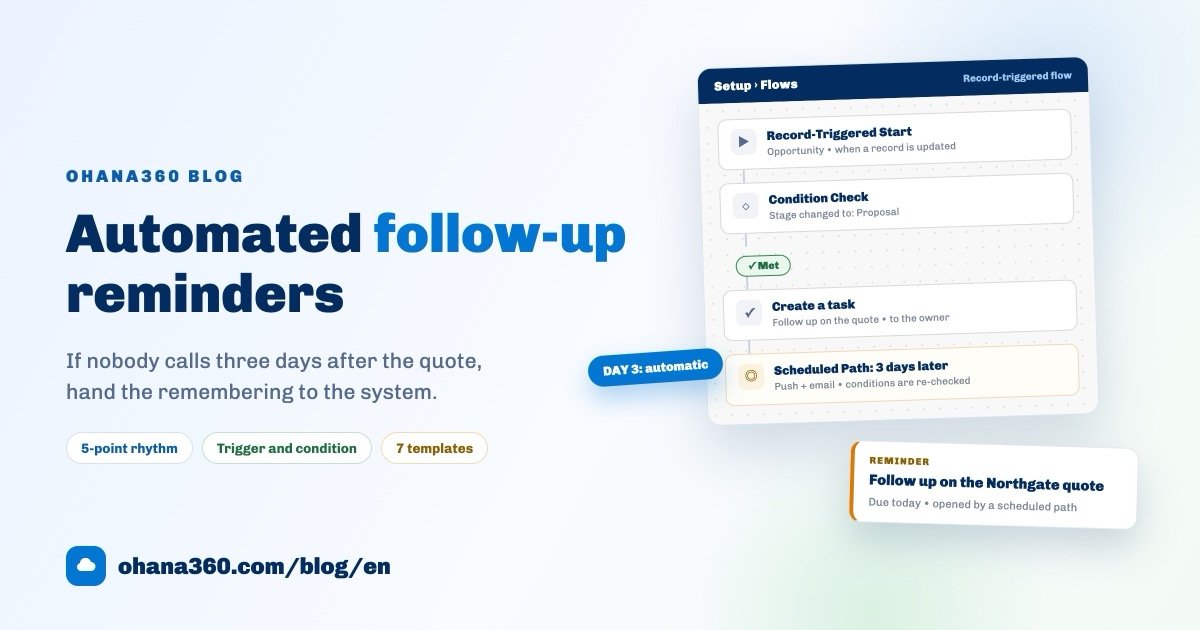
| Send and forget | "They do not seem that interested" | Create follow-up tasks for day 2 and day 7 as you send it |
After you send: the follow-up discipline
Most quotes are lost not because they were badly written, but because nobody followed up. A simple rhythm that does not annoy anyone:
- Day 0: Send it and confirm it arrived. A delivery check is not a follow-up, it is housekeeping.
- Day 2 to 3: the follow-up call. Phone, not email. The goal is understanding, not persuasion: "Have you had a chance to look at the items, is anything missing or unnecessary in the scope?"
- Day 7: Send a written answer to a question that came up on the call. Do not invent a reason to make contact; contribute something real, such as a reference or a revised item.
- Two days before expiry: "The quote expires on 30 September, would you like me to extend it?" That is a closing question, not pressure.
- If it does not close: write down why. Price, timing, scope, or a competitor? Six months later that note is the most valuable thing you have.
The three questions that move a follow-up call forward: "Who else signs off on this with you?", "Is there budget allocated already?", and "What will they ask you for before approving?" All three advance the deal without squeezing anyone.
How the quote flow works in Ohana360
Past a few quotes a month, template files stop being enough: who got which quote, at what price, and which ones have expired. Sales360 and Finance360 keep that flow in one record:
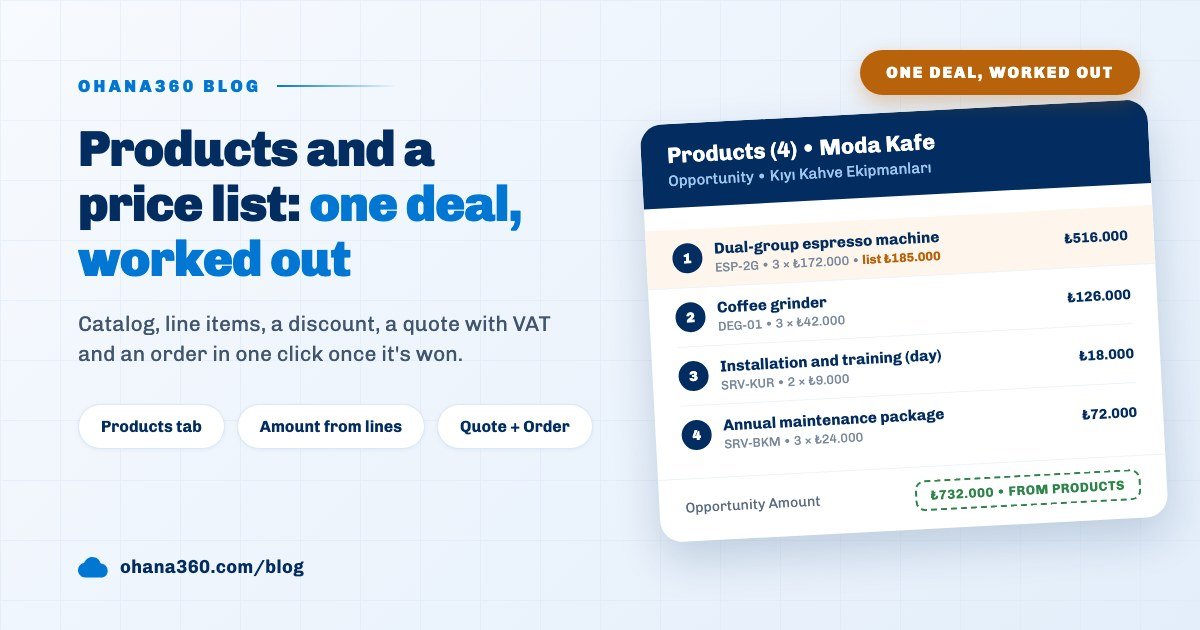
- You add product line items to an opportunity; the amount is calculated from those lines automatically.
- The Create Quote button lays them out as a quote document: number, customer and contact, quote date, validity (from the "Quote Validity (days)" setting in Setup), preparer, subtotal, VAT and grand total.
- Print / PDF saves it through the browser print dialog, ready to send.
- When the opportunity is won, Create Order carries the same lines into an order; from there you invoice it (due date and tax rate) and record payments, including partial ones.
- Overdue invoices are listed in red on the Finance360 home page, and follow-up calls become tasks with reminders and phone notifications.
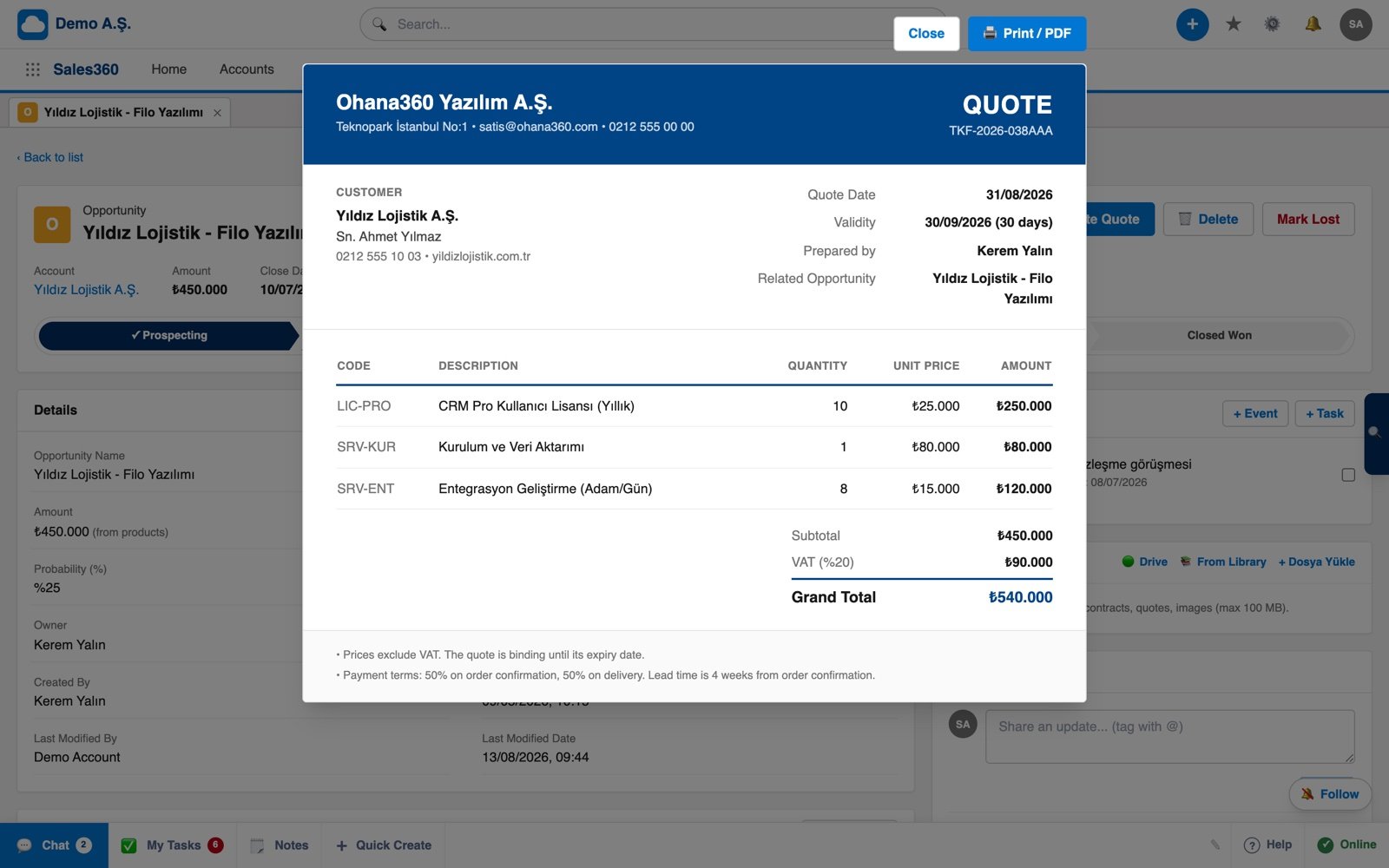
Want to see the flow in 57 seconds?
If your customer records still live in spreadsheets, start there instead: the Excel customer tracking guide includes a free template. If the question is budget, the free CRM software guide spells out the hidden costs, and current numbers are on the pricing page.
Frequently asked questions
How do I write a business quote and what must it contain?
How long should a quote be valid for?
Should prices in a quote include tax?
When should I follow up after sending a quote?
Do I need software to create quotes?
Keep every quote in one place
Itemised quotes, one-click orders, printable invoices and payment tracking, all on the same record. No credit card needed to set up.