Almost every guesthouse owner who starts looking for hotel reservation software gets there through one sentence: "we sold the same room twice". A guest stands at the door on a Saturday evening, the book has one line, the portal has another. Nobody lied. The two records simply never sat side by side.
This guide treats a booking not as a notebook problem but as a five-link chain: request, confirmation, deposit, check-in, check-out. Our example is Seacliff Guesthouse, eight rooms, seasonal, with one person on the desk most of the time. (Demo data.) The book is not badly kept. The problem is not inside the book, it is everything that never reaches it.
The six points where the chain breaks
A booking book survives its first season. In the second a portal joins in, and by the third nobody trusts it on its own. The diagram below shows one season of breakage at Seacliff.
What the six have in common is that none of them is carelessness. Each is a moment where the record never got made or never got closed. Nobody typed a wrong date; a step simply never reached anywhere.
- The phone booking never reached the book. A room is promised on an evening call and the book stays at the desk. The rule is simple: every room you promise becomes a record in the same minute, and whoever answered the phone is the one who files it.
- The portal booking is not in the book. A portal extranet is a record somewhere, but not your record. If there are two lists there is no correct list, only the one that was checked more recently.
- Nobody can confirm the deposit. The prepayment was agreed in a chat and the receipt reached no file. What gets argued about on arrival day is not the money, it is the absence of a record.
- A cancelled room was never reopened. A cancellation is a status change, not a deletion. Delete it and the same conversation restarts from zero two months later.
- The reservation carries no room number. A record that holds only a room type enters no clash check anywhere. The clash still exists; it has just been postponed to arrival morning.
- The week is never visible at once. The first five are recording problems; this one is visibility: you find out which nights stayed empty after the season has closed.
What to record at every link
You do not close these gaps with more care. You close them by writing down in advance what gets recorded at each step. The table below is the trail a booking should leave from request to departure.
| Link | Record | Fields that must be filled | Who, and when |
|---|---|---|---|
| 1. Request | Guest card | Name, phone, country, party size, special request | Whoever answered, before the call ends |
| 2. Confirmation | Reservation | Check-in, check-out, room number, channel, nightly rate | The moment a room is promised, same day |
| 3. Deposit | Payment | Amount, due date, status, which stay it belongs to | When the deposit is asked for, not when it arrives |
| 4. Check-in | Reservation status | Status set to Checked in, ID details on the guest card | The desk, while the guest is standing there |
| 5. Check-out | Status and remaining payment | Status set to Checked out, balance marked Paid | The desk, as the room empties |
Row two is the one everybody skips, and the skipped field is always the same: the room number. "We will find them a room later" sounds reasonable, but every clash check ever built runs on the room number. A reservation without one produces no conflict in any software. It produces one on arrival morning instead.
How a double booking happens, and how it stops
A double booking is not an attention problem, it is a concurrency problem: two people sell the same room minutes apart without seeing each other. The fix is not being more careful, it is making the second sale impossible to save. The table below shows which statuses should hold a room, which is the first question to ask of any reservation system.
| Reservation status | Room held? | Why |
|---|---|---|
| Pending | Yes, held | The room is held while confirmation is awaited, otherwise a pending booking means nothing |
| Confirmed | Yes, held | The sale is settled and the room cannot be sold for those dates |
| Checked in | Yes, held | The guest is in the room; not open to interpretation |
| Checked out | No, released | The stay is over; a new arrival must be bookable into the same room the same day |
| Cancelled | No, released | The room must be resellable at once, while the record stays with its reason |
| No-show | No, released | A guest who never came does not hold a room, but the record survives: it belongs in the channel scorecard |
A system that misses this distinction makes one of two mistakes: it refuses to let you resell a cancelled room, so an empty room reads as sold, or it ignores pending bookings, so the same room sells twice. Both are the same book failing in opposite directions.
The occupancy calendar: what a week tells you
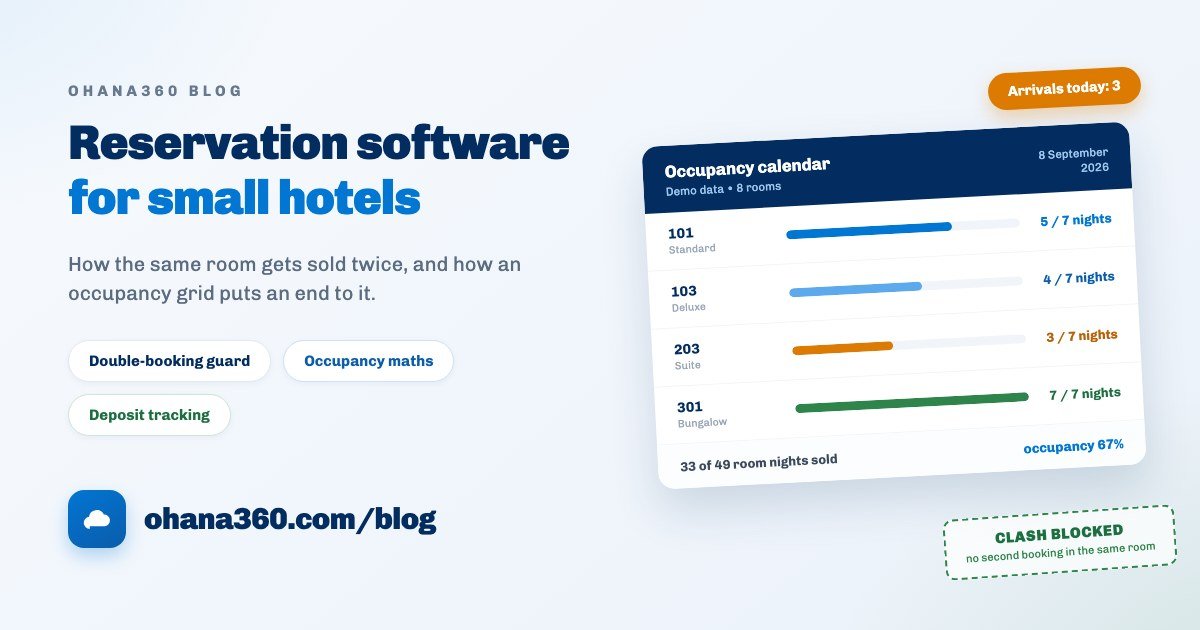
Reservation management has one foundational screen and it is the occupancy calendar: rooms down, days across. A week at Seacliff looks like this.
Read it from the gaps, not the total. The three empty nights in the middle of the week (Thursday at 3 of 7) are a pricing decision: holding a midweek room at weekend rates has a cost. The row that is never empty (301, the bungalow) is a signal too, in the other direction: you are turning that demand away. Five questions to ask of the grid:
| What you see | What it means | This week's action |
|---|---|---|
| A block of empty midweek nights | Demand is bunched into the weekend and midweek is unsold | Set a separate midweek rate and a minimum-stay rule |
| One room type never empty | You are short of capacity in that type and refusing bookings | Record the enquiries you turn down, then decide on the mix after a season |
| Reserved rows that never became arrivals | Either the guest did not come or the status was never updated | Close every arrival by evening: Checked in or No-show |
| A room sitting in maintenance for weeks | The denominator shrinks and occupancy reads higher than it is | Give maintenance an end date and return the room to Active when it is done |
| Single-night gaps between stays | Orphan nights nobody can sell are accumulating | Allow flexible minimum stays or price those nights to move |
Open the grid at the same time every morning. The direction of travel matters as much as the number: if the second week of September is still under sixty percent, you already know October needs work today.
Calculating occupancy without fooling yourself
Occupancy is a figure that produces four answers when three people calculate it, because nobody agreed on the denominator. There is only one correct denominator: rooms available for sale times nights. A room under maintenance is not in it, and a closed season is not in it.
| Measure | Formula | Demo calculation | What it tells you |
|---|---|---|---|
| Occupancy rate | Room nights sold / (active rooms × nights) | 33 / (7 × 7) = 67% | How much of your capacity you sold |
| Average daily rate | Room revenue / room nights sold | The average price of a night you sold | What your pricing decisions actually earned |
| Revenue per available room | Room revenue / (active rooms × nights) | Occupancy × average daily rate | Occupancy and rate combined into one number |
| Cancellation rate | (Cancelled + no-show) / total bookings | Calculated separately per channel | Which channel's bookings actually stick |
Row three is the most skipped and the most useful. High occupancy on its own is not good news: dropping the rate to fill rooms is easy, lifting revenue per available room is not. A pricing decision made without looking at both produces a property that is full and unprofitable by the end of the season.
Deposit discipline: track the record, not the money
Most deposit arguments are not about the amount, they are about the absence of a record. The four rules below make two different people behave the same way.
| Rule | Why | How it works in practice |
|---|---|---|
| The record opens when you ask, not when you are paid | A record created before payment stays visible when payment never comes | Open the payment line as Pending with the confirmation date as its due date |
| Deposit and balance are separate lines | One line hides how much of a part payment actually arrived | Two payments: Deposit and Balance, both on the guest |
| An overdue deposit is chased the same day | A booking whose deposit never came is really an empty room | Open the overdue list every morning and release the room |
| The status changes the minute money lands | A payment not marked Paid gets asked for a second time | One click to Paid on the list, with the receipt filed on the guest card |
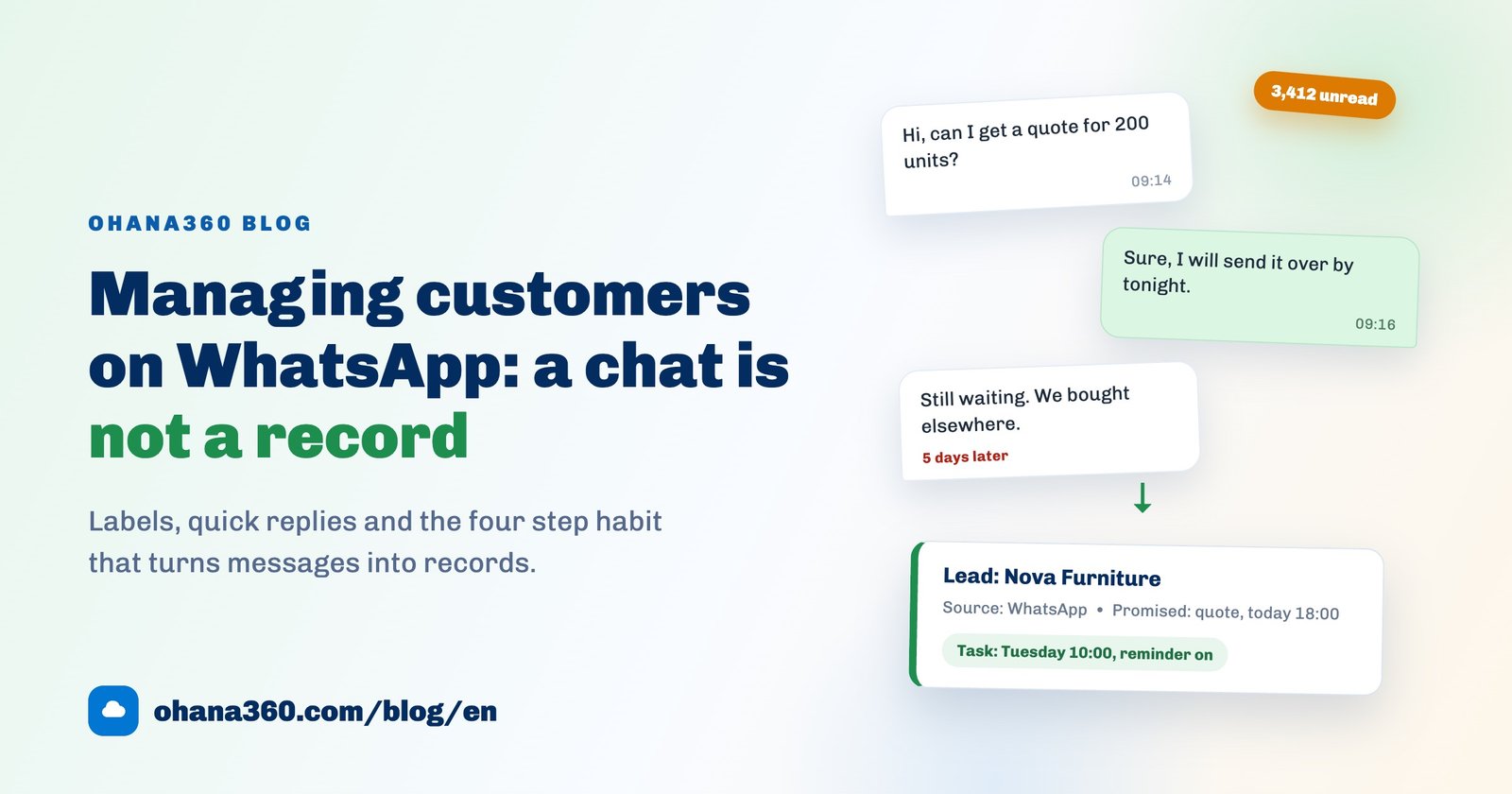
The long version of making follow-up the system's job rather than a person's is in the automated reminders guide. If confirmations and deposit chasing happen mostly over WhatsApp, the method for turning those conversations into records is in the WhatsApp customer management guide.
The first 7 days: a setup plan
The most common way this migration fails is trying to move every past season at once. Half an hour a day for seven days is enough.
| Day | What to do | What you have at the end of it |
|---|---|---|
| 1 | Enter the rooms: number, type, floor, capacity, default nightly rate | The inventory the clash check and the calendar both rest on |
| 2 | Verify room states: flag anything under maintenance or off sale | A correct denominator for every occupancy figure |
| 3 | Enter only future reservations; do not migrate past seasons | A real occupancy calendar and an undisputed today |
| 4 | Open outstanding deposits as payments: amount, due date, status | A visible list of bookings whose deposit never arrived |
| 5 | Build the channel habit: portal notifications get entered the same day | The first day the channel scorecard means anything |
| 6 | Set the morning rhythm: today's arrivals, departures and overdue payments | A start to the day nobody has to remember |
| 7 | Put the weekly occupancy review in the calendar and do the first one | Empty nights noticed before the season ends, not after |
On day eight, every new booking comes out of the system. Running the book in parallel helps in week one and hurts in week two: nobody writes the same thing down twice, and when they do, one copy goes stale, which is exactly where double bookings are born.
How Booking360 works in Ohana360
Booking360 owns the request, confirmation, check-in and check-out links of this chain. Here is what it does, without inflation, and what it does not do, without hiding it. This is the most important section of the guide.
- Tabs: Home, Guests, Reservations, Occupancy Calendar, Rooms, Payments, alongside Accounts, Contacts, Tasks, Calendar, Files, Reports and Dashboards.
- The guest card: a numbered record (in the form MSF-1001): name, phone, e-mail, country, ID or passport number, date of birth, special request and notes. A status path follows the guest journey: New, Reserved, Staying, Departed, Loyal Guest. The record page carries stay history, payments, tasks, files and an activity timeline.
- The reservation: guest, check-in, check-out, room type (Standard, Deluxe, Family, Suite, Bungalow, Villa), room number, adults and children, channel, status, nightly rate and total. Nights are calculated from the dates, and if you leave the total blank it fills in as nights times the nightly rate.
- The double-booking guard: if a live reservation already covers overlapping dates in the same room number, the record cannot be saved. Cancelled, No-show and Checked-out reservations are excluded from the check. A reservation saved without a room number skips the check entirely and does not appear on the calendar; the calendar counts those in a warning strip.
- Room inventory: room number (the same number cannot be saved twice), type, floor, capacity, default nightly rate, status (Active, Maintenance, Closed) and a note. The Tonight column on the list shows each room's live state: Occupied, Reserved, Vacant, Maintenance.
- The occupancy calendar: a 14-day rooms by days grid. Reservations appear as coloured blocks carrying the guest's name; clicking an empty cell opens a new reservation prefilled with that room and date, and clicking a block opens the record. The bottom row gives occupancy night by night, the arrows move seven days at a time and Today jumps back.
- Check-in and check-out: one-click Check-in and Check-out buttons on the Reservations list move the reservation and update the guest card's status with it (Staying, Departed).
- Payments: records linked to the guest, carrying amount, due date and status (Pending, Invoiced, Paid). Overdue unpaid lines are flagged in red on the list and marked Paid in one click.
- The home page: today's arrivals and departures appear as a strip, with arrivals not yet checked in flagged as urgent; Reservations Needing Attention lifts anything with an overdue payment to the top, and Tonight's Room Status shows every room as a chip.
- The shared calendar: check-ins and check-outs appear on the Calendar tab as two separate sources alongside tasks and events, and can be switched off.
- Reports: the ready-made ones are Guests by Country, Reservation Revenue by Channel and Rooms by Type. In the report builder you can build your own on the Guests, Reservations and Rooms objects.
- Automation: scheduled flows can scan Reservation and Booking Payment records, which is how a pre-arrival reminder or an overdue-deposit alert gets built.
- Access: the guest, reservation, room and payment objects can have their org-wide default set to Private in Setup and reopened with a sharing rule. In an app that holds ID and passport numbers, that is a day-one job.
- Not included: a channel manager or automatic OTA sync (Booking.com, Airbnb and Expedia bookings are entered by hand), taking payments online, payment links and card processing, a deposit field on the reservation itself (payments link to the guest), seasonal and weekend rate plans or automatic per-person pricing, board types and extras, housekeeping and cleaning status, group bookings across several rooms on one record, automatic room assignment, invoicing, and bulk CSV import of guests and reservations. Booking payments are also not a report builder object. For all of these you keep your existing setup.
Want to see the flow in 86 seconds?
Getting occupancy in practice
The bottom row of the calendar gives you the day; the week and the month you total yourself. It is a fifteen-minute job a month:
- Fix the denominator once. Count the rooms whose status is Active on the Rooms list; maintenance and closed rooms do not belong in it.
- Take room nights sold from the list. On Reservations, filter by check-in date, leave Cancelled and No-show out, make the Nights column visible and export to Excel or CSV.
- Divide, then put rate next to it. Nights sold over active rooms times nights is your occupancy. The Total column in the same export gives you average daily rate and revenue per available room.
Why say this so bluntly? Because "automatic occupancy reporting" is a phrase used very freely, and discovering after purchase that it is not there costs far more than knowing up front. What Booking360 genuinely solves is not the arithmetic of a percentage, it is that the same room cannot be sold twice: the reservation carries a room number, the clash is blocked at entry, and the calendar stays the single source of truth.
Which reports to build
There is an honest boundary here too. On the hospitality side the report builder covers Guests, Reservations and Rooms; Payments is not a report builder object. Payment analysis happens through the list view and export instead.
| # | Report | Object | Group by | Measure / filter |
|---|---|---|---|---|
| 1 | Reservation revenue by channel | Reservations | Channel | Sum of total (ready-made) |
| 2 | Guests by country | Guests | Country | Record count (ready-made) |
| 3 | Rooms by type | Rooms | Room type | Record count (ready-made) |
| 4 | Nights sold by month | Reservations | Check-in (calendar month) | Sum of nights, gives your season curve |
| 5 | Reservations by status | Reservations | Status | Record count, gives your cancellation rate |
| 6 | Revenue by room type | Reservations | Room type | Sum of total, shows which type earns |
| 7 | Guests by lifecycle status | Guests | Status | Record count, shows your returning share |
| 8 | Overdue payments | Payments (list) | - | Filter: Status = Pending and past due, then export |
Row eight is deliberately different: it is a saved list view, not a report. Save the filter and favourite the list, and you get a one-click deposit queue every morning, which for most small properties is more useful than a dashboard.
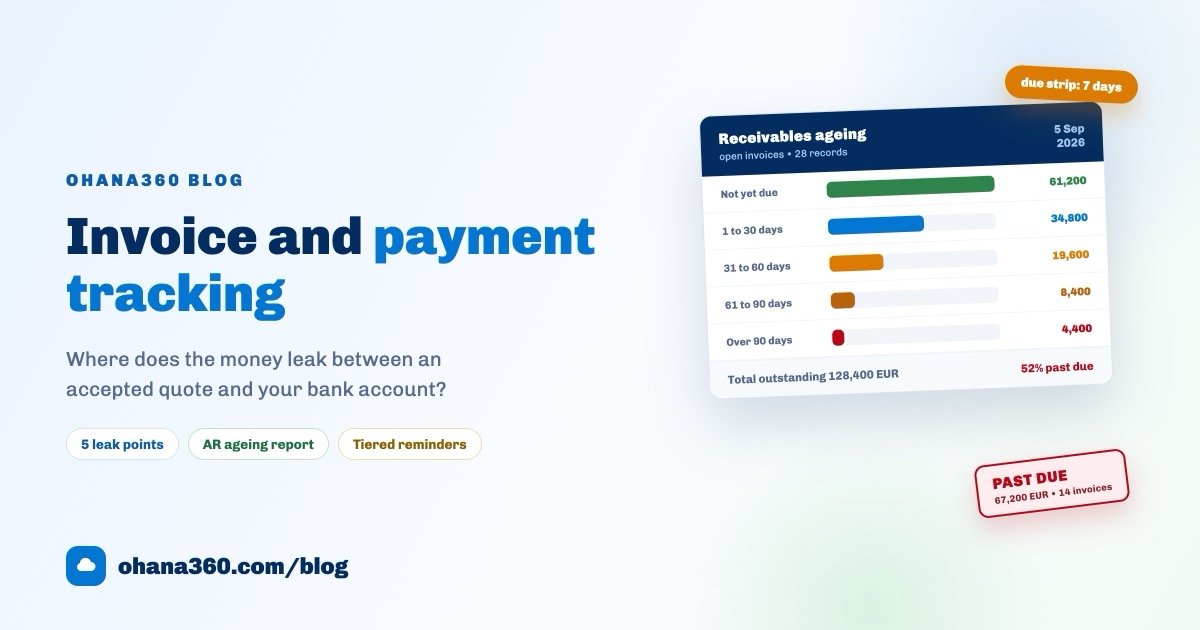
Appointment booking is the closest cousin of hotel reservation, so it helps to read the same calendar discipline from another trade: the patient management guide covers the same clash problem in a different business. The finance-side sibling of deposit and balance tracking is the invoice and payment tracking guide. Current numbers are on the pricing page, and you can request a demo to try it with your own rooms.
Frequently asked questions
What does hotel reservation software do that a booking book does not?
Is there a channel manager for Booking.com and Airbnb?
How exactly does the double-booking guard work?
How do I work out occupancy, ADR and RevPAR?
Where do deposits and prepayments live?
Is a spreadsheet enough for a five-room guesthouse?
Never sell the same room twice
Bookings carry a room number, clashes are blocked at entry, and two weeks of occupancy fit on one screen. Today's arrivals and every overdue deposit are waiting when you open up.