Setting up a CRM webhook means having the record sent as JSON to an address you provide the moment it is created, updated or deleted. In Ohana360 this takes four steps on the Setup > Webhooks and API screen: pick a name, target address, object and events; save the signing secret in the external system; send a trial packet with Send Test; read the result in the Deliveries table.
Ohana360 is a business cloud that keeps sales, service and finance records in one database; a webhook is how that cloud tells the outside world what happened. Instead of listing features we follow one packet. On the morning of October 15 Selin Arda, sales rep at the custom furniture maker Boran Mobilya, moved the "Vadi Konakları showroom" opportunity to Closed Won. Within five seconds a signed packet reached a Make scenario connected to the accounting software, and an invoice draft was opened there. Below is the anatomy of that packet, then five diagnoses from the same morning's delivery log.
What is a webhook, and where is it set up in Ohana360?
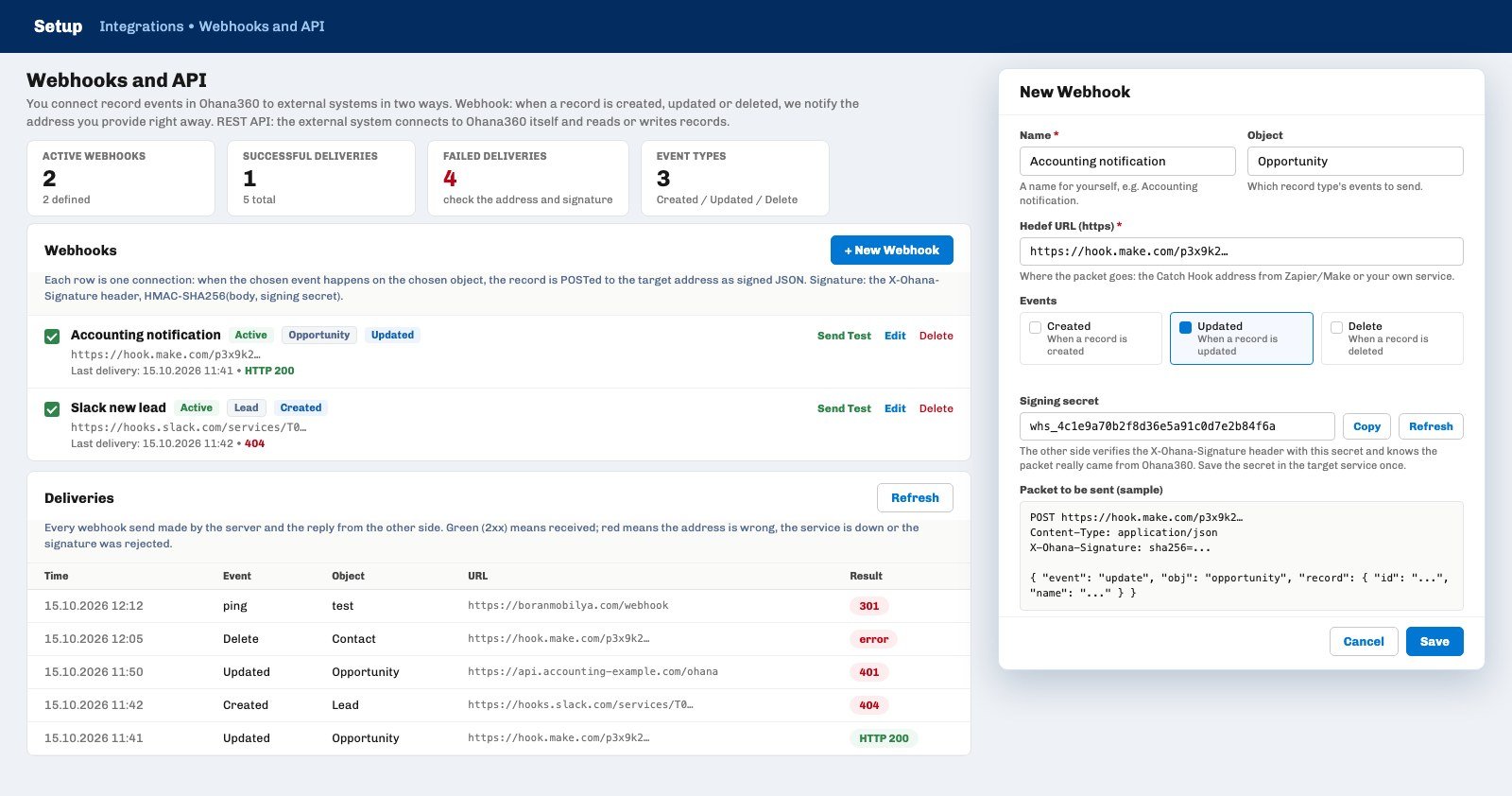
A webhook is Ohana360 sending a POST request to an external system on its own when a record event happens; it is the reverse of the REST API, where the external system has to ask Ohana360. On the Setup > Integrations > Webhooks and API screen the New Webhook button opens a five-field window, and Boran Mobilya's first webhook was set up in two minutes:
- Name. A name for yourself: "Accounting notification". Required.
- Object. All objects or a single one: the licensed standard objects (Account, Contact, Lead, Opportunity, Case, Task, Event, Campaign, Order, Invoice and others) and custom objects appear in the list. Selin picked Opportunity.
- Target URL. Where the packet goes: a Catch Hook address from Make or Zapier, or your own service. The address must start with http or https; localhost and internal network addresses are rejected on the server.
- Events. Created, Updated, Deleted; at least one is picked. Winning a deal is an update, so Selin ticked Updated only.
- Signing secret. A secret starting with whs_ is ready in the window; it is taken with Copy and saved once in the external system, and changed with Refresh.
After Save the row shows in the list with an Active badge, an object chip and event chips; the checkbox on the row switches the webhook off without deleting it. Four counters sit at the top of the screen: active webhooks, successful deliveries, failed deliveries and event types. The same numbers are read as "Webhook Deliveries (successful / total)" on the External Systems card of Setup > Automations and Integrations. The webhook screen is used by an admin who can open Setup; Send Test and Deliveries pass an admin check on the server.
What is inside a webhook packet?
A packet is four headers and a JSON body with five fields: event, obj, record, orgId and sentAt. The image above is the packet that went out for Selin's opportunity; let's read it line by line.
- The POST line and Content-Type. The packet always goes as POST with an application/json body; there are no query parameters or form fields.
- X-Ohana-Signature. The HMAC-SHA256 signature of the body with the sha256= prefix. The subject of the next section.
- User-Agent. Ohana360-Webhook/1.0. The easiest way to spot the packet in server logs.
- event. record.created, record.updated or record.deleted. The packet does not say which field changed; an opportunity moved to Closed Won and an opportunity whose amount was corrected both arrive as record.updated. The receiver decides by looking at record.stage.
- obj. The record's object name: opportunity, lead, case, account, contact, invoice or a custom object key starting with cobj_. The values do not depend on the interface language.
- record. The latest state of the record with all of its fields: name, stage, amount, owner, the account link and custom fields starting with cf_. Opportunity stages are stored in English, so the stage goes out as "Closed Won" even when the Turkish interface shows Kazanıldı. The old value is not in the packet; on a delete event the record is sent as it was before deletion.
- orgId and sentAt. The org number and a UTC timestamp. The Make scenario received the packet at 08:41 UTC, 11:41 in Türkiye.
The body is built on the server on every write; the app in the browser never sees the packet and never touches the signing secret. That is why delivery happens even if Selin's computer is closed: the write is committed to the database, the reply goes back to Selin, and the packet is sent after that.
How do you verify that the packet really came from Ohana360?
Ohana360 runs the raw body of the packet through HMAC-SHA256 with the webhook's signing secret and writes the result to the X-Ohana-Signature header; the receiver runs the same calculation with the same secret and compares the two values. A short Node service on Boran Mobilya's accounting side does this in one line: it computes the HMAC of the body, drops the sha256= prefix from the header, compares the two and rejects the packet with 401 if they differ.
The signature is computed on the raw body; a service that parses the JSON and writes it out again gets a different result because spacing and field order change, and it rejects every packet. When the secret changes, both sides are updated together: the Refresh button changes the secret in Ohana360, and the copy in the external system is renewed by hand. Tools such as Make and Zapier do not verify the signature on their own; in those scenarios the address is kept private and an HMAC step is added inside the scenario if needed. The way to try the setup is Send Test: a signed packet goes out with the event ping, the obj test and a single record named "Ohana360 webhook testi", and the result appears within seconds as a toast and as the first row in Deliveries.
Which saves produce a webhook, and which do not?
A webhook is produced by every path that commits the record to the database: Save on the screen, inline editing, bulk update, import, a REST API write, a Web-to-Lead or Web-to-Case form. The server compares the old and new copies and builds the event list; the same list feeds follow notifications and the field history. One week at Boran Mobilya:
| Write path | Webhook | Note |
|---|---|---|
| Selin dragged the card to the Closed Won column on the kanban | Sent | record.updated, Opportunity |
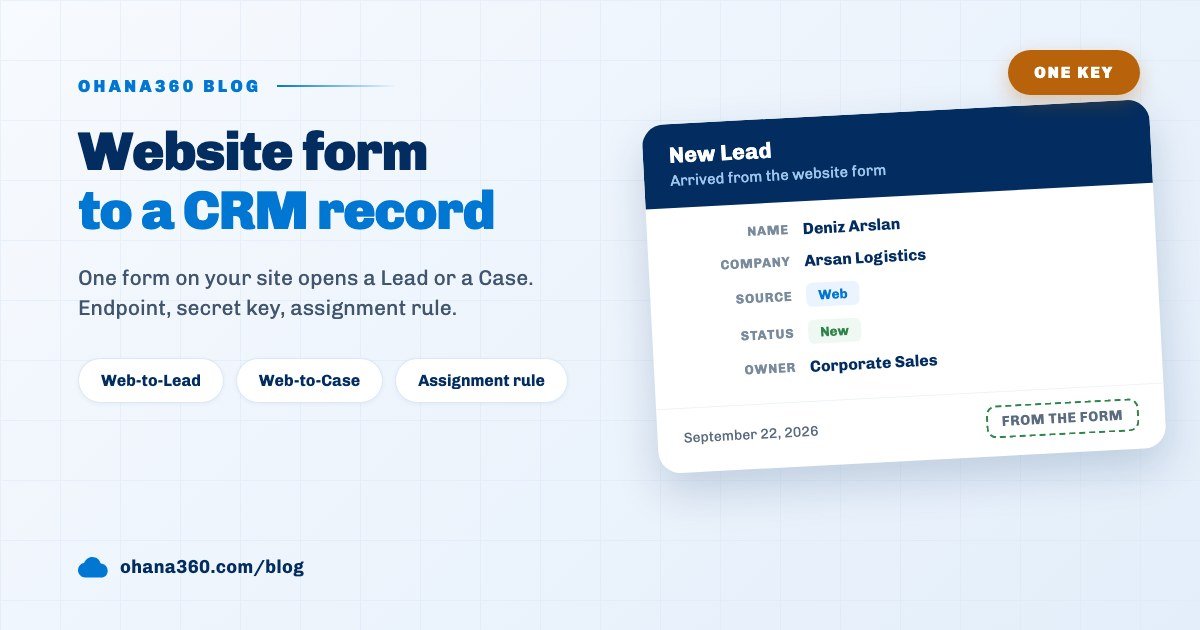
| The Web-to-Lead form on the website created a lead | Sent | record.created, Lead; the assignment rule runs first, so the owner is filled in the packet |
| Accounting set the invoice status to Paid through the API | Sent | record.updated, Invoice; an API write is an event too |
| A scheduled flow updated a field every morning at 09:00 | Not sent | a scheduled flow's own field update produces no record event; it is sent if a Call Webhook action is added to the flow |
| A 420-row Excel import was loaded in one go | Partly | at most 20 deliveries per request; the first 20 events go out, the rest do not appear in the log |
| Send Test | Sent | event ping, obj test |
The limit of twenty keeps an import from flooding the external system with hundreds of requests; for bulk data moves, list the records through the REST API after the import instead of relying on webhooks. A packet goes only to active webhooks with a valid address; no event is produced for a webhook that is switched off, and nothing is sent retroactively when it is switched on again.
How do you send only under a condition: a Setup webhook or a flow action?
A webhook definition in Setup picks an object and events but takes no condition; for a rule such as "send only when won", a record-triggered flow is built under Setup > Flows with Call Webhook as the action. In the first week Selin had left the Updated event open on the Opportunity object; accounting received a packet on every amount correction, and the Make scenario had to filter by looking at record.stage. In the second week she separated the two routes:
- The Setup webhook. Unconditional and tied to an object. When the external system wants to see every event (a backup, a data warehouse, a search index) this is the right route. The packet has no __flow field.
- The flow action Call Webhook. The flow triggers on Updated on the Opportunity object with the condition Stage equals Closed Won; Call Webhook is picked from the action list and one of the webhooks defined in Setup is selected. If no webhook has been defined yet, the action says "Define a webhook under Setup > Webhooks first". A packet sent this way always has the event record.updated and a __flow field carrying the flow's name is added to the body; the webhook's object and event selection is ignored for this send, and it goes out even if the webhook is switched off.
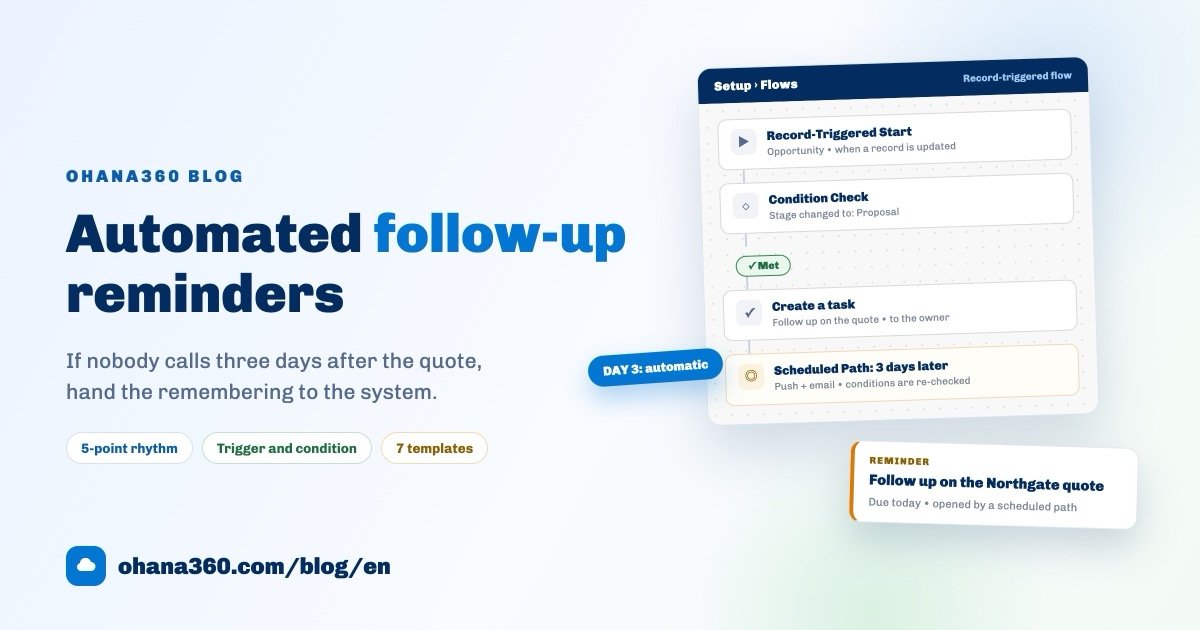
The action runs on the server: even when the flow is triggered in the browser, the packet is signed and sent by the server, and the run shows under Setup > Flows > Run History for 90 days. A scheduled flow has the same action; "tell the external system every morning about orders pending for three days" is built that way. The condition and action logic of flows is covered in the automated reminders guide.
How do you read the delivery log?
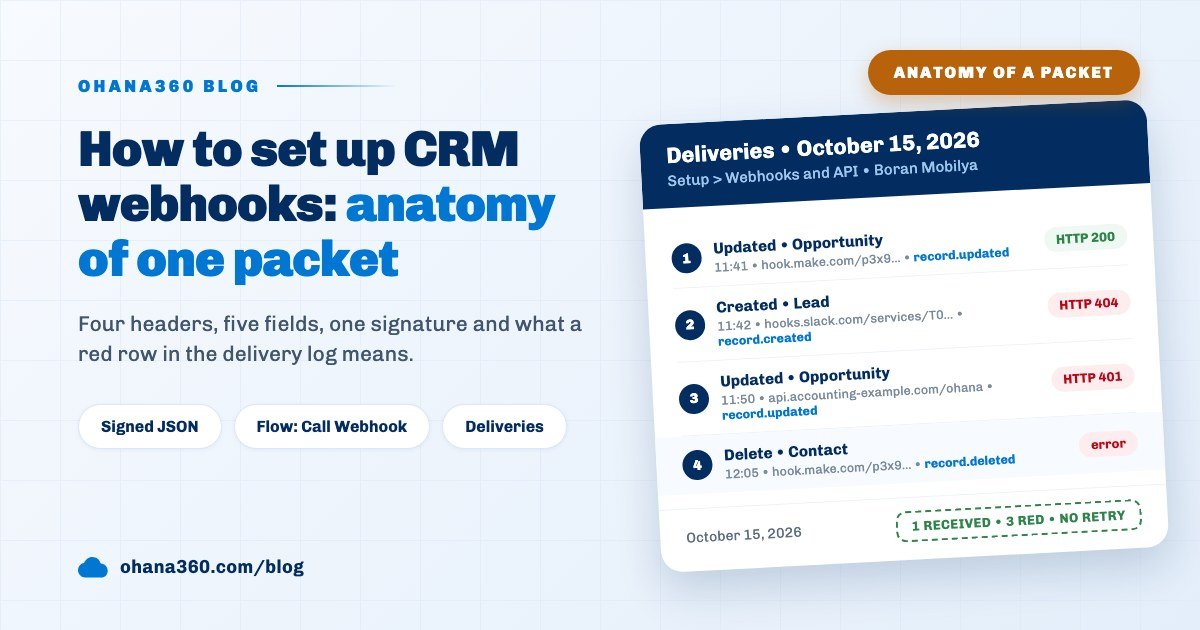
The Deliveries table lists every send the server made with time, event, object, address and HTTP code; a green badge means a 2xx was received, a red badge means the address is wrong, the service is down, the signature was rejected or no reply came within 5 seconds. The last 100 deliveries per org are kept, the last 50 are shown on the screen, and the Refresh button reloads them. Boran Mobilya's morning of October 15 had five rows:
The log is a diagnosis tool, not a recovery tool. The body that was sent and the receiver's reply text are not stored; the row shows only the code. A failed delivery is not retried and produces no bell notification, and the webhook does not switch itself off; until the Slack address returning 404 is fixed, every new lead writes a red row. The way to get a missed record into the external system is to read it again through the REST API. The address is cut at 300 characters in the log, so compare by the start of the address.
What is used when the external system needs to write into Ohana360?
The reverse direction is the REST API: a key starting with ohk_ is generated under the user menu > API Keys and every request carries an Authorization: Bearer header. When Boran Mobilya's accounting software issues the invoice, it updates the invoice record in Ohana360 with PATCH; the same screen manages both directions.
- The key. The read scope only does GET, readwrite also writes. The key is shown once at creation, then only its prefix remains; there are at most 10 keys per user, and a key works with the profile and sharing permissions of the user it was created for. API access for the org is switched on by the platform administrator; if it is off, the window says so.
- The endpoints. GET /api/objects/opportunity?stage=Closed%20Won lists (200 records by default, 500 at most), GET /api/objects/lead/00Q… returns one record, POST creates a record with 201, PATCH updates it and DELETE moves it to the Recycle Bin. A validation rule stops the write with 422, and the assignment rule sets the owner on leads and cases.
- The loop. Every record written through the API triggers the matching webhooks. When accounting updates the invoice, Ohana360 sends record.updated to accounting; if the external system does not recognize its own write, it writes the same record again and a loop starts. Boran Mobilya's scenario solved this by skipping the first packet that follows its own PATCH.
- Headless360. The free System add-on in the Marketplace adds an API reference panel to Setup; the webhook screen works without the add-on.
Store orders have a separate incoming endpoint: POST /api/commerce/order creates or updates the record by order number with a Bearer key; the ready connectors for WooCommerce, Shopify and ikas are in the multichannel order guide. The record structure on the sales side is on the Sales360 page.
Not included: what the webhook does not do
- No retries. Every event is sent once; if no 2xx arrives within 5 seconds, a red row is written and the packet is not resent. There is no queue, no exponential backoff and no manual "resend" button.
- A failed delivery produces no notification. No bell, email or push goes out; the log is opened by hand. The webhook does not switch itself off.
- No condition on a Setup webhook. An object and events are picked; for a field condition, use a flow with the Call Webhook action.
- The packet carries neither the changed field nor the old value. The latest state of the record goes out; computing the difference is the external system's job.
- No field selection. All fields of the record are sent; fields such as Salary or private notes cannot be hidden in the packet. If the external system must not see those fields, the webhook is not set up on that object.
- 20 deliveries per request. In one large import, the 21st and later events are not sent; use the REST API for bulk moves.
- Body and reply are not stored. The log holds time, event, object, the address cut at 300 characters and the HTTP code; the last 100 rows are kept.
- Redirects are not followed. An address returning 301 or 302 counts as failed; write the final target address.
- Internal addresses are not accepted. localhost, .local, .internal and private IP ranges are rejected; the external system must be reachable from the internet.
- A scheduled flow's field update produces no event. No record.updated goes out for a field changed in the 09:00 scan; add Call Webhook to the same flow and a packet goes out.
- The packet content cannot be customized. There is no field mapping, template or alternative format (XML, form); transformation is done in Make, Zapier or your own service.
- The sample packet shows the short event name. The example in the New Webhook window writes the event with the short name of the selected event (create, update, delete); the real packet sends record.created, record.updated or record.deleted. Expect the long name in the external system.
What should be checked when the first webhook is set up?
A five-minute checklist prevents the first red row and the first loop. Boran Mobilya's list:
- Is the address written with https? If an http address redirects to https, the delivery fails with 301.
- Is Send Test green? Real events are not switched on until the ping packet gets a 2xx.
- Is the signing secret saved in the external system? If the secret was refreshed, are both sides current?
- Is the event selection narrow enough? If only won deals are needed, use a conditional flow with Call Webhook rather than a Setup webhook.
- Does the system that writes back recognize its own write? Every write that returns through the API is a new event.
- Who will watch the log? Because a failed delivery produces no notification, Deliveries and the counter under Automations and Integrations are checked once a week.